
RAID 0 Data Recovery
If your RAID 0 array has failed and you need the data back, you’ve landed in the right place. RAID 0 is the highest-performance, lowest-redundancy RAID level — data is striped across every disk with no parity and no mirrors, so the loss of any one disk takes the entire array offline. The good news is that the data is still on the surviving disks. The challenge is reconstructing the stripe and recovering whatever can be read from the failed one. Gillware has been recovering RAID 0 arrays since 2004 in our ISO 5 Class 100 cleanroom in Madison, Wisconsin. Every case starts with a free in-lab evaluation. See also our RAID data recovery hub.
Start a free RAID 0 recovery evaluation →
How RAID 0 Works
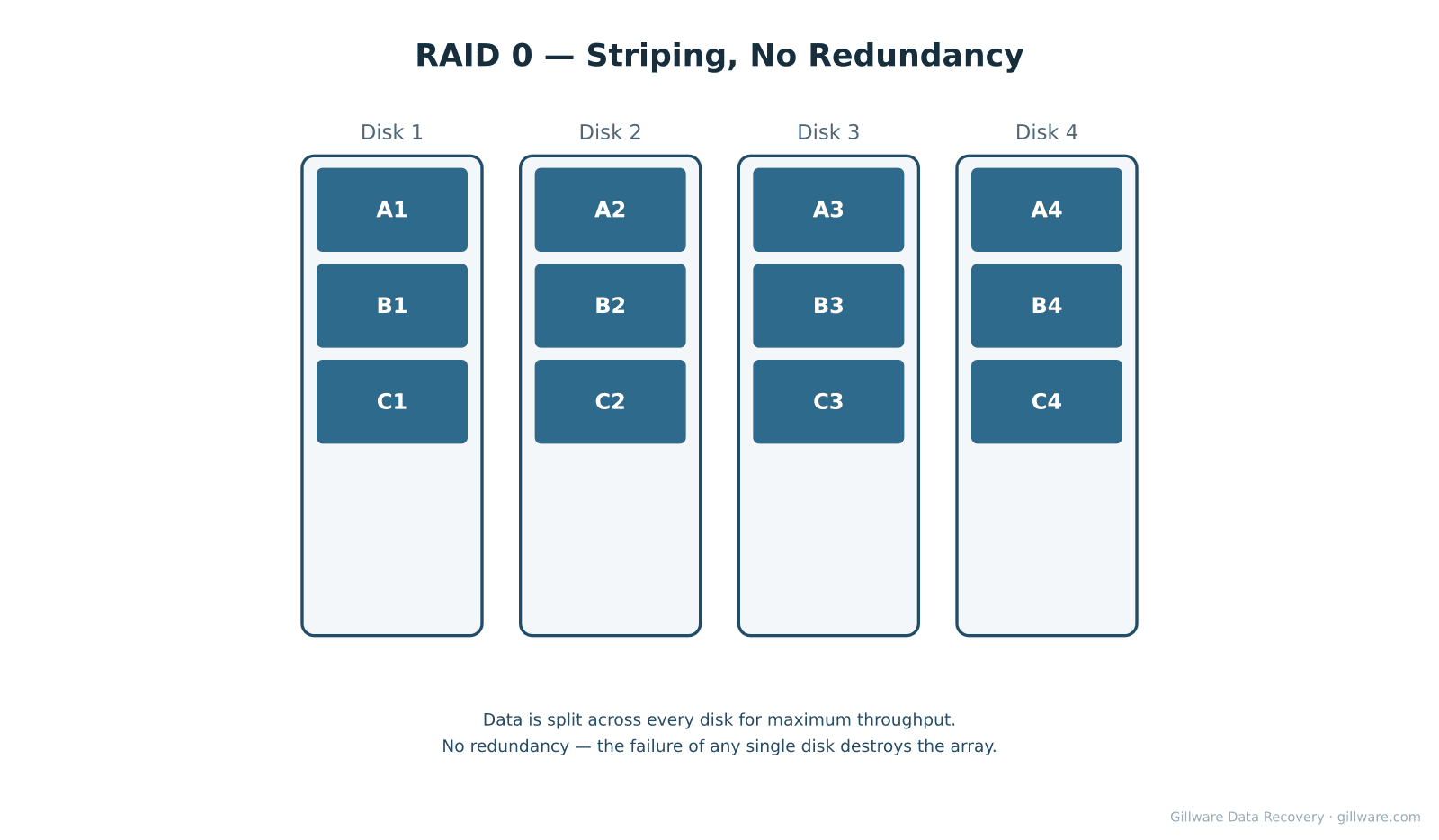
RAID 0 splits each file into chunks (the stripe size, typically 64 KB to 256 KB) and writes consecutive chunks to different disks in round-robin fashion. With two disks, the first chunk goes to disk 1, the second to disk 2, the third back to disk 1, and so on. With four disks, the rotation spans all four. Read and write performance scales close to linearly with the disk count because every disk is participating in every operation. The trade-off is that there’s no redundancy — no parity, no mirror, no spare copy of any block anywhere. If even one disk fails, every file on the array is incomplete because every file has chunks on the missing disk.
Why RAID 0 Arrays Fail
Single disk failure. The most common case. RAID 0 has no fault tolerance, so the failure of any one disk — head crash, PCB failure, firmware lockup, motor seizure — immediately takes the array offline. Recovery depends on whether the failed disk can be repaired enough to image its surface.
Controller failure. If the RAID controller dies or the stripe metadata on the disks is corrupted, the operating system loses the ability to assemble the disks into a single volume. The disks themselves are healthy but the array is gone. This is recoverable because we can reverse-engineer the stripe parameters.
Power events and write-tearing. An unclean shutdown during a write can leave one disk’s chunk written and another disk’s missing for the same logical file. File-system damage follows.
Why this configuration is high-risk. RAID 0 is often used for scratch space, video editing, gaming, and other performance-critical workloads where the data is assumed to be backed up elsewhere. In practice, many RAID 0 deployments don’t have current backups when the array fails. Treat any RAID 0 array as a single point of failure with no recovery margin.
How We Recover RAID 0
Every disk in a failed RAID 0 array needs to be imaged before anything else happens. We never operate the original array during recovery; running a degraded RAID 0 risks further damage to the surviving disks and erases the original on-disk state we use to reconstruct the stripe. Each disk is imaged on isolated, write-blocked hardware in our cleanroom. Physically damaged disks are repaired with donor parts as needed before imaging — head replacements, PCB swaps, firmware recovery, and platter burnishing when the platters have surface damage.
Once we have images of every disk, our engineers reverse-engineer the array’s stripe size, disk order, and starting offset from the on-disk metadata. Our in-house RAID software (HOMBRE) then assembles the virtual array from the images, and file-system recovery proceeds on the assembled volume. If one disk’s surface has unrecoverable damage in specific regions, the corresponding stripe positions in the assembled volume show as bad — we report exactly which files are affected so you can decide how to proceed.
Related RAID Recovery Pages
Other RAID levels we recover: RAID 1 · RAID 5 · RAID 6 · RAID 10 · JBOD. Return to the RAID data recovery hub for the full overview of how Gillware handles RAID, NAS, SAN, and server array recoveries.
Start Your RAID 0 Recovery
If your RAID 0 array is down and the data on it matters, the next step is a free evaluation. Power the array off, label each disk with its bay position, and ship the full set in together — recovering a RAID 0 requires every disk in the array.
Start a free RAID 0 evaluation →
Prefer to talk to someone first? Call 1-877-624-7206 during business hours (M–F 8 am–7 pm, Sat 10 am–3 pm Central), or schedule a 15-minute consultation with a client advisor.