
HPE 3PAR Data Recovery | StoreServ Recovery Services
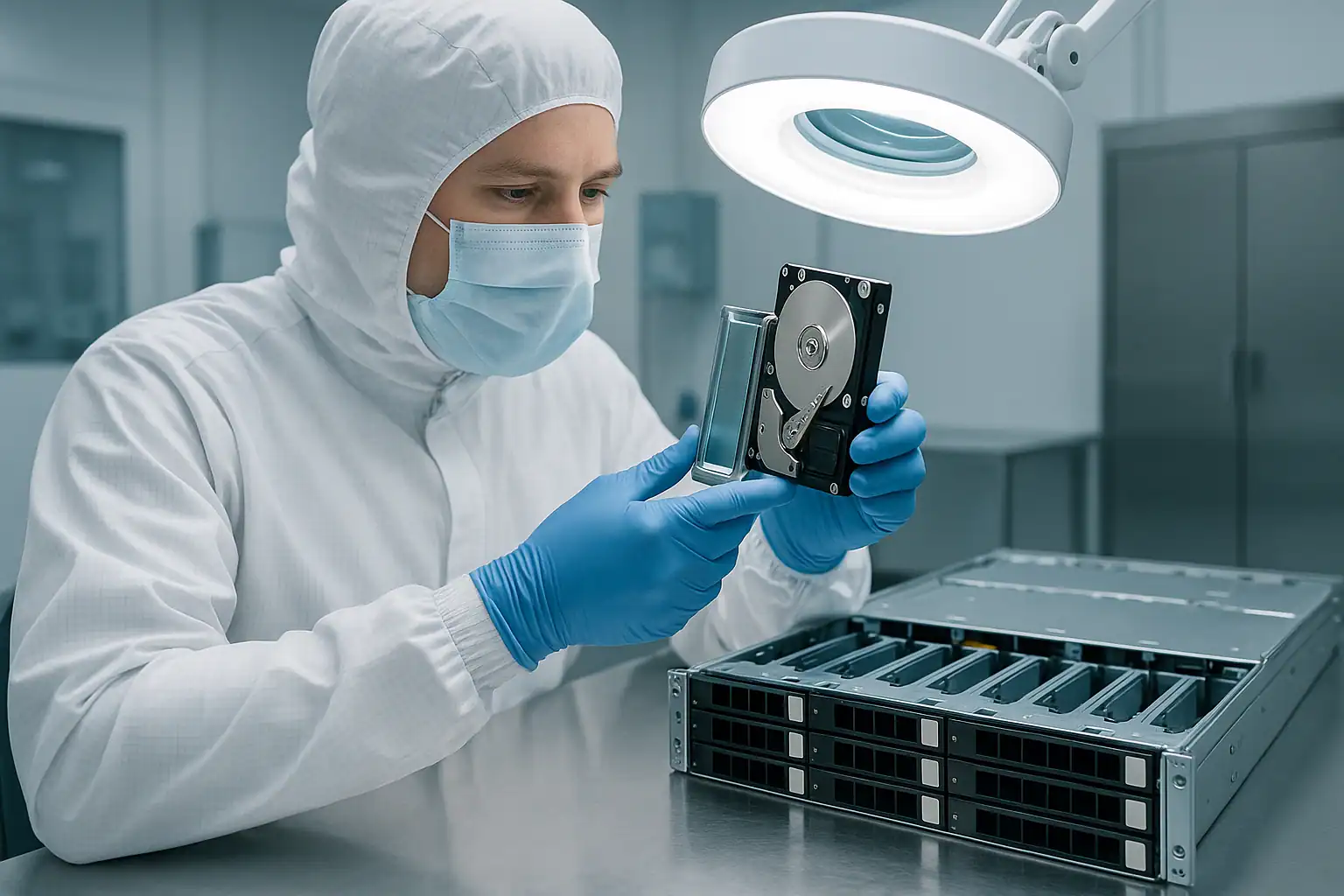
HPE 3PAR StoreServ is HPE’s tier-one enterprise storage line — the cluster-architected, chunklet-distributed, mesh-active platform that powers mission-critical workloads at mid-market enterprises and large organizations worldwide. Acquired by HP from 3PAR in 2010 and produced under the HP / HPE banner through 2019 before being rebranded as Primera (and later Alletra), 3PAR systems remain in active production at thousands of customers despite the platform’s formal succession to newer lines. Many of those systems are now well past HPE’s standard support window, increasingly deep in their failure curves, and showing up in our caseload as the platforms organizations still depend on but can’t easily replace.
3PAR recovery is fundamentally different from MSA, server, or commodity SAN recovery because the architecture is fundamentally different. There are no traditional RAID groups in 3PAR — instead, drives are divided into 1GB chunklets, those chunklets are organized by Common Provisioning Groups (CPGs) into RAID-like layouts (RAID 1, RAID 5, RAID 6 / MAGP), and Virtual Volumes are carved out of CPGs and presented to hosts as LUNs. The system runs as a cluster of 2 to 8 active-active controller nodes with mesh-active load distribution, drives live in external cages connected via SAS, and storage management happens through the Service Processor (SP) appliance. 3PAR recovery is part of our broader HP server data recovery services, alongside ProLiant, MSA, Nimble, and StoreOnce platforms. This page covers the older 3PAR generations we recover from most often and how we engage with cases on the platform.
3PAR Product Lines We Recover (Older Models Focus)
We work with the full 3PAR lineup, but our caseload skews heavily toward the older generations now reaching their out-of-support windows. These older platforms are where the recovery work is concentrated.
StoreServ 8000 Series (2015-2019/2020)
The single highest-volume older 3PAR generation in our caseload. The StoreServ 8000 series included the 8200, 8400, 8440, and 8450 models — ranging from entry-level dual-node (8200) through high-capacity four-node (8440) and all-flash (8450) configurations. The 8000-series shipped with SAS-based architecture, M6710 (SFF) and M6720 (LFF) drive cages, and a refreshed 3PAR OS release line.
By 2026, the active 8000-series fleet is 6-11 years old — the bulk of the population is past HPE’s standard support window. Late-deployed 8400 / 8440 systems may still be in extended support, but the 8200 and earlier-deployment 8400 systems are predominantly out-of-support. Common scenarios on 8000-series recoveries: node failures across the cluster, cage controller failures, drive failures exceeding CPG redundancy, firmware update issues, and the various scenarios that come when a tier-1 platform passes its support window while still running production workloads that can’t be migrated easily.
→ Read more about HPE 3PAR StoreServ 8000-series data recovery — including model-specific coverage of the 8200, 8400, 8440, and 8450 with Gen5 ASIC architecture, M6710 / M6720 cages, 3PAR OS 3.2.x / 3.3.x, TDVV deduplication, and Adaptive Optimization scenarios.
StoreServ 7000 Series (2013-2017)
The 7000-series was the breakthrough mid-market 3PAR generation that brought tier-1 architecture to organizations that previously couldn’t justify enterprise storage spend. Models included the 7200 (entry, two-node), 7400 (mid-tier, two-to-four-node), 7440 (higher-capacity four-node), and 7450 (all-flash). The 7000-series introduced the StoreServ branding that subsequent generations carried forward.
The active 7000-series fleet is 9-13 years old in 2026 — entirely past HPE’s standard support window. Recovery cases on 7000-series systems are predominantly out-of-support situations where conventional HPE escalation isn’t available, replacement parts come through reseller channels, and the customer needs alternative paths to data preservation. The recovery process is the same as on newer 3PAR; the engagement context is more time-pressured because the system can’t be brought back through routine support.
→ Read more about HPE 3PAR StoreServ 7000-series data recovery — including model-specific coverage of the 7200, 7400, 7440, and 7450 with Gen4 ASIC architecture, DC2 / DC3 cages, 3PAR OS 3.1.x / 3.2.x, and out-of-support scenarios.
StoreServ 10000 Series (2011-2014)
The 10000-series was the high-end tier of older 3PAR — the 10400 (four-node) and 10800 (eight-node) systems that powered the largest customer deployments before the 20000-series replaced them. The 10000-series shipped with a different cage architecture than the 7000 / 8000 lines (using DC2 / DC3 cages rather than M6710 / M6720), older 3PAR OS releases, and the V-class controller node architecture inherited from the pre-HP-acquisition era.
The 10000-series fleet is 12-15 years old in 2026, almost entirely past HPE support, and rapidly aging out of active deployment as customers migrate to newer platforms. We still see 10000-series cases, typically organizations that depended on the platform for very specific workloads that proved hard to migrate.
P10000 / V-Class (2011-2014)
The P10000 (originally branded V400 / V800 before the rebrand) was the immediate post-acquisition 3PAR generation under HP. Mid-to-high tier, 2-to-8 controller nodes, the architecture predecessor to the 10000-series. P10000 systems are rare in active deployment in 2026 but cases do reach us — typically organizations that deployed during the 2011-2013 window and have kept the systems running well past their expected service life.
F-Class (2010-2014)
The F-class (F200, F400) was the entry-tier 3PAR generation in the immediate post-acquisition era — smaller than V-class, less complex architecturally, and aimed at mid-market customers entering the 3PAR ecosystem. The F-class is now 12-16 years old and rare in active deployment, but the platform still appears in our caseload occasionally. Recovery from F-class systems uses the same underlying 3PAR principles (chunklets, CPGs, virtual volumes) applied to the F-class’s specific node architecture and cage layouts.
StoreServ 20000 Series (2015-2018)
The 20000-series (20800, 20840, 20850) was the top-tier high-end 3PAR generation — eight-node clusters supporting the largest enterprise deployments. The 20000-series shipped with all-flash variants and supported the largest 3PAR configurations HPE ever produced. The active 20000-series fleet is 7-11 years old and approaching or entering out-of-support windows. We see fewer 20000-series cases than 7000 / 8000-series because the customer base is smaller, but the cases that arrive are typically high-stakes mission-critical recoveries.
StoreServ 9000 Series (2017-2019)
The 9000-series (primarily the 9450) was the mid-to-high-tier all-flash 3PAR generation positioned between the 8000 and 20000 lines. The 9450 was a relatively short-lived generation as the platform line transitioned to Primera. The 9000-series fleet is 7-9 years old and increasingly in our caseload as deployments age.
Pre-Acquisition 3PAR (T-class, S-class)
The T-class and S-class were the pre-HP-acquisition 3PAR systems shipped under the original 3PAR brand. Production ran through about 2010, making the active T / S-class population now 16+ years old. We see these systems extremely rarely — they’re almost always retired by now — but if your organization has one still running and needs recovery, the same fundamental 3PAR architecture applies. The cage hardware, node hardware, and software are all older variants, but the chunklet / CPG / VV abstraction works the same way.
Common 3PAR Failure Scenarios
Node failures and cluster degradation
3PAR clusters run as mesh-active groups of 2 to 8 controller nodes — each node actively serves I/O, and the cluster tolerates individual node failures by redistributing load across surviving nodes. In practice, node failures take several forms:
- Single-node failure in a multi-node cluster — cluster continues running with reduced capacity. Recovery may not be needed if the cluster tolerates the failure; replacement is the routine response.
- Multiple node failures — if more nodes fail than the cluster’s redundancy was designed for, the cluster may go offline or specific virtual volumes may become inaccessible.
- Node battery backup module failures — each node has battery backup for its cache; aged batteries that fail leave cache contents at risk during power events.
- Node firmware mismatch after replacement — a replacement node with incompatible firmware can introduce cluster inconsistencies.
- All nodes down simultaneously — usually a power event or cooling event affecting the entire cluster. Drives intact, but the cluster can’t come back online cleanly.
3PAR node failure recovery is recoverable because the data lives on the drives in the cages, not in the nodes themselves. We read the cage drives directly and reconstruct the chunklet, CPG, and virtual volume layers in software, independent of the cluster’s ability to come back online.
Chunklet-level failures and CPG redundancy exhaustion
3PAR’s chunklet architecture distributes 1GB allocation units across all drives in the cages. CPGs organize chunklets into RAID-like layouts (RAID 1, RAID 5, RAID 6 / MAGP). When multiple drives in the same CPG fail, the CPG’s chunklet-level redundancy can be exhausted — affecting all virtual volumes that depend on that CPG.
3PAR mitigates this risk through spare chunklets distributed across the system, but long-running systems can exhaust spare chunklets when drives fail faster than they’re replaced. The classic late-life 3PAR scenario: drive failures accumulating over months without proper replacement, sparing depleted, eventually one more failure crosses the CPG’s redundancy threshold, and virtual volumes go offline.
Recovery requires forensic imaging of all drives across all affected cages, reconstruction of the chunklet layout from on-disk metadata, CPG reassembly with handling for missing chunklets, and virtual volume reconstruction from the rebuilt CPG. This is layered, complex work that’s very different from traditional RAID recovery.
Virtual volume corruption and thin provisioning issues
3PAR virtual volumes are thin-provisioned by default — the volume presents a logical capacity to hosts but consumes physical chunklets only as data is written. The thin-provisioning metadata maps virtual offsets to physical chunklet locations. When this metadata is damaged (after firmware updates, dual-node failures, or cluster issues), virtual volumes can become inaccessible or return incorrect data even though the underlying chunklets are intact.
Common virtual volume scenarios: TPVV (Thinly Provisioned Virtual Volume) metadata corruption, snapshot relationship damage affecting virtual copy chains, deduplicated volume (TDVV) issues on systems that used deduplication, and volume mapping inconsistencies after host reconfiguration.
CPG configuration changes gone wrong
CPG configuration changes — changing the RAID type, adjusting CPG availability levels, modifying chunklet pool composition — are normally safe operations on a healthy 3PAR. On stressed or partially-failed systems, CPG configuration changes can trigger cluster issues, data movement that doesn’t complete cleanly, or unexpected interactions with thin provisioning. Customers attempting to “fix” a 3PAR issue by adjusting CPG configuration often make the situation worse.
Cluster split-brain and quorum issues
3PAR’s mesh-active cluster requires nodes to communicate with each other to coordinate I/O. When node-to-node communication breaks — failed inter-node links, switch failures in the cluster fabric, partial network issues — nodes can lose visibility of each other and the cluster goes into split-brain states or quorum failures. Some virtual volumes become inaccessible; others remain available depending on which nodes are partitioned where.
Service Processor failures
The 3PAR Service Processor (SP) is a separate appliance that handles management, configuration storage, and HPE call-home / phone-home services. The SP doesn’t directly serve I/O — if the SP fails, the 3PAR cluster keeps running — but the SP holds configuration backups, system logs, and the documented configuration history. When the SP fails without a clean handoff to a replacement, the configuration knowledge is lost. Recovery scenarios involving SP loss often involve reconstructing configuration from on-disk 3PAR metadata rather than from SP-stored documentation.
Adaptive Optimization (AO) tiering issues
Adaptive Optimization performs sub-LUN tiering between CPGs — moving frequently-accessed regions of virtual volumes from spinning-drive CPGs to SSD CPGs based on access patterns. When AO operations are interrupted or when CPGs involved in AO migrations have issues, the tiering metadata can become inconsistent, leaving virtual volumes with data spread across multiple CPGs in non-recoverable patterns.
3PAR OS firmware upgrade issues
3PAR OS upgrades are significant events — they involve rolling updates across all cluster nodes, careful coordination of the cluster state, and dependencies on hardware compatibility. Failed upgrades, interrupted upgrades, or upgrades to versions with known issues can leave the cluster in inconsistent states. Older 3PAR OS versions (3.2.x, 3.3.x ranges) had specific known issues; later versions had different ones. The wrong 3PAR OS version on a stressed cluster can compound issues significantly.
Cage controller and SAS path failures
Each drive cage (DC2, DC3, DC4, M6710, M6720, M6730, depending on generation) has cage controllers (I/O modules) that connect to cluster nodes via SAS. Cage controller failures, SAS path failures, and cage backplane issues can take drives offline at the cage level. When a cage drops offline, all chunklets on the cage’s drives become unavailable — affecting any CPG that included those chunklets.
SAS cable wear after 7-13 years of operation is a common contributor. The classic signature: a specific cage suddenly disappearing from the cluster, with the failure following the cage rather than any individual drives.
Remote Copy replication failures
3PAR Remote Copy provides synchronous and asynchronous replication between 3PAR systems. Replication scenarios that reach our caseload: primary 3PAR fails and replica is incomplete, replication broken for extended periods without anyone noticing, both primary and replica having correlated failures (often after data center events), and replica systems that aged differently than the primary and developed their own issues.
End-of-support scenarios on older models
By 2026, the 7000-series and earlier 3PAR models are entirely past HPE’s standard support window, and the 8000-series is rapidly entering it. Conventional HPE engagement (Mission Critical Services, replacement parts, escalation paths) isn’t available for out-of-support systems. Out-of-support 3PAR cases are increasingly the majority of our 3PAR caseload — customers who need data preservation when the standard support path can’t engage.
How Our 3PAR Recovery Process Works
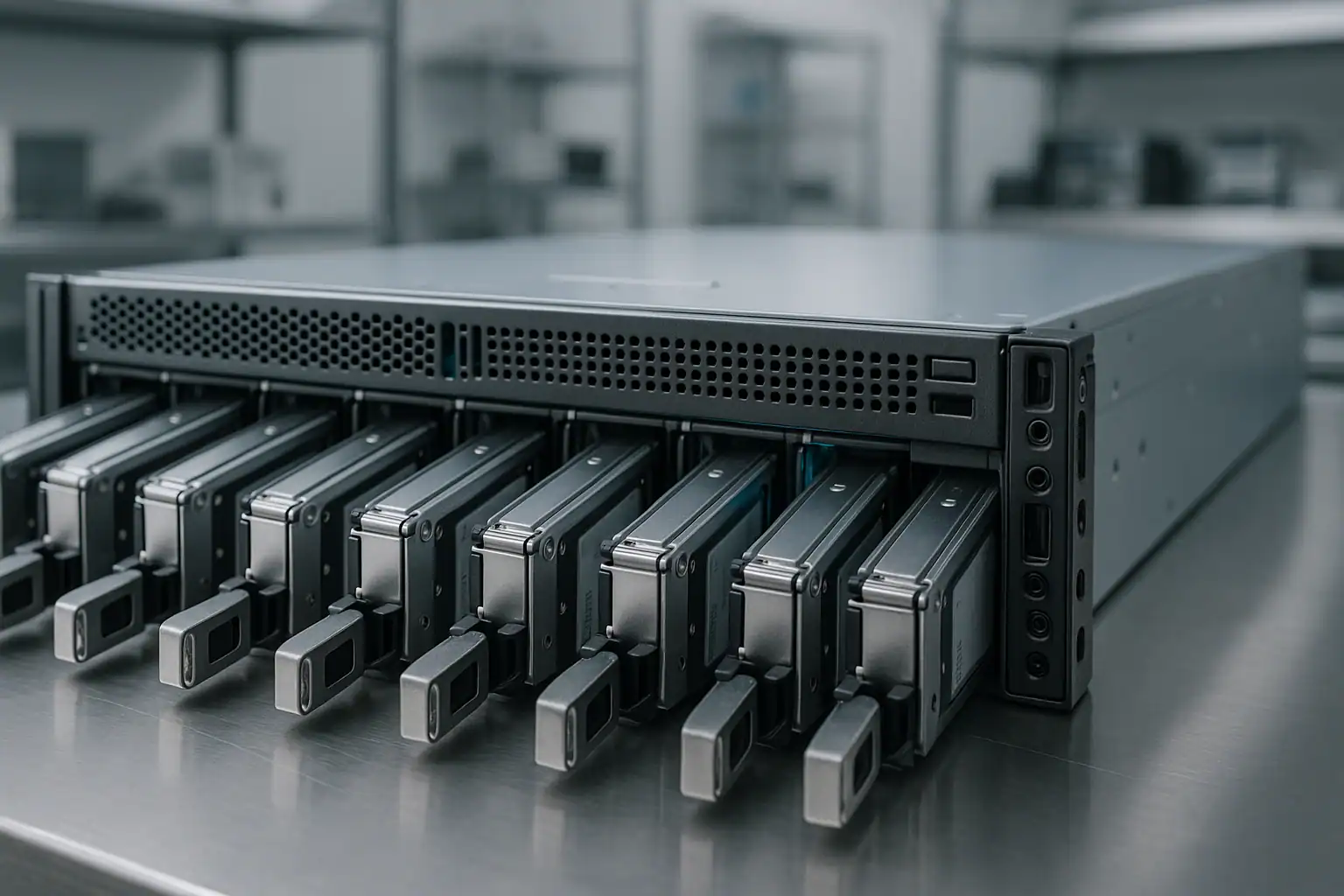
3PAR recoveries follow the same fundamentals as our broader storage work, with 3PAR-specific architectural understanding applied at every layer.
Step 1: Free consultation and case scoping
Every 3PAR recovery starts with a conversation with our SAN team. The consultation needs to capture: which 3PAR model and generation, cluster node count and current node state, cage count and configuration, 3PAR OS version, primary CPGs and virtual volumes affected, the failure sequence, what’s been attempted, application stack on the hosts, and support status. 3PAR cases typically need more upfront information than MSA or server cases because of the architectural complexity. The consultation is free.
Step 2: Coordinated drive extraction
3PAR systems span multiple cages with hundreds to thousands of drives. Extraction requires careful coordination — each drive’s cage position must be documented because chunklet reconstruction depends on knowing which cage and bay each drive came from. For mid-sized 8000-series systems (8200/8400 typical), the drive count is in the dozens; for larger 8440 / 9000 / 20000-series, hundreds. We coordinate with the customer’s storage team on extraction logistics, often shipping cages intact when feasible to preserve position information.
Step 3: Write-blocked forensic imaging at scale
Every drive across every affected cage is imaged through hardware write-blockers, creating bit-for-bit forensic copies. For drives with mechanical or electronic failures, our engineers perform temporary repairs in our ISO 5 Class 10 cleanroom — head transplants, PCB repairs, firmware adjustments. The HPE-branded SAS drives in 3PAR cages (HGST Ultrastar, Seagate Constellation and Exos, Toshiba enterprise) have HPE-specific firmware signatures our engineers know intimately. Imaging at 3PAR scale takes time proportional to drive count and condition; expedited service tiers compress this for time-critical cases.
Step 4: Chunklet, CPG, and Virtual Volume reconstruction with Hombre
This is where 3PAR recovery diverges most dramatically from other storage recovery. Our proprietary tool, Hombre, parses 3PAR-specific metadata at multiple layers:
- Chunklet identification — reading the chunklet metadata on each drive to identify which 1GB chunklets exist, their identifiers, and their cage / bay / drive positions
- CPG layout reconstruction — rebuilding the Common Provisioning Group structure that maps chunklets into RAID-like layouts (RAID 1, RAID 5, RAID 6 / MAGP), handling missing chunklets where possible through CPG-level redundancy
- Virtual volume reassembly — reconstructing the virtual volumes that were carved from each CPG, resolving thin-provisioning maps from virtual offsets to physical chunklet locations
- Snapshot chain reconstruction — rebuilding virtual copy (snapshot) relationships where pool-based snapshots existed
- Adaptive Optimization tier resolution — resolving sub-LUN tiering data when AO had moved regions between SSD and HDD CPGs
- Deduplication and compression handling — reversing TDVV deduplication and compression on systems that used these features (more common on 8000-series with later 3PAR OS releases)
This is genuinely complex work. 3PAR architecture has no parallel in traditional RAID or other commodity SAN platforms. The metadata structures are proprietary, and the recovery tooling has to be developed specifically for the chunklet model. Hombre’s 3PAR support comes from years of work on exactly this platform.
Step 5: Host-layer extraction
Once virtual volumes are reconstructed, the data on them — VMFS-5 / VMFS-6 datastores, NTFS / ReFS volumes, ext4 / XFS / ZFS file systems, Oracle ASM disk groups, raw database files — needs extraction at the host layer. Hombre parses these directly without mounting them, building forensic databases of every file present. From those databases we extract VMs, database files, mailboxes, file shares, and individual files as the customer’s recovery scope requires.
What to Do Right Now If Your 3PAR Is Failing
Don’t initiate any CPG configuration changes during a failure. CPG operations on a stressed system can trigger data movement that doesn’t complete cleanly, compound metadata issues, or cause cluster-level reactions. Leave CPG configuration alone until the consultation establishes a recovery plan.
Don’t attempt 3PAR OS upgrades, patches, or firmware operations during a failure. 3PAR OS operations involve rolling node updates; doing one during a degraded cluster state can leave nodes in inconsistent versions and compound the original issue.
Don’t evict failed nodes from the cluster unless you understand the implications. Node eviction is a destructive operation that rebalances chunklets across surviving nodes. If the cluster is already stressed, this rebalancing can fail and worsen the state.
Don’t initiate manual chunklet movement or CPG-level data placement operations. These operations are normally safe on healthy systems; on stressed clusters they can cause cascading issues.
Don’t delete or modify Remote Copy replication relationships during a failure. If your replication is broken, leave it broken until recovery is planned — deletion or recreation can affect replica state and any data resynchronization in progress.
Don’t attempt service processor reset, rebuild, or replacement during an active failure. SP operations can affect cluster connectivity and configuration coordination during the worst possible time.
Don’t run host-side filesystem repair tools against virtual volumes that are still presented. ESXi datastore repair, NTFS chkdsk, ext4 fsck, ZFS scrub, Oracle DBV / RMAN recovery against questionable datafiles — all can alter on-disk metadata that recovery depends on.
Don’t reseat drives that show as missing without checking cage controller / SAS path state first. If multiple drives in a specific cage are missing, the issue is often cage-level rather than drive-level. Random reseating can dislodge other healthy drives.
Export the System Reporter / SP configuration data and event logs if accessible. The configuration export and recent system events from the SP are extremely valuable diagnostic artifacts. If the SP is still online, capture this before doing anything else.
If the cluster is fully offline, leave it powered off rather than attempting controller-level recovery actions. Powering off preserves on-disk metadata; aggressive cluster-level operations during an outage can damage it.
Document the cluster state. Node count, current node states, cage count and types, 3PAR OS version, CPGs (names and configurations if known), critical virtual volumes (names and importance), host attachments, application stack, recent maintenance activity, and support status. The more we know going in, the faster the consultation moves.
Coordinate with your storage and application teams. 3PAR recovery typically involves multiple teams — the storage team handles the recovery workflow, the application teams (DBA, VMware, Hyper-V, etc.) handle the application-layer reassembly using the recovered storage. Aligning these teams early speeds the overall recovery.
How 3PAR Recovery Pricing Works
3PAR recovery pricing varies substantially based on the case scope. Drive count is a primary factor — a two-node 8200 with two M6710 cages and 48 drives is a very different engagement from a four-node 8440 with multiple cages and 200+ drives. CPG and virtual volume complexity matters — systems with extensive deduplication, AO tiering across multiple CPGs, and complex snapshot trees take more reconstruction work than simpler configurations. Drive condition determines cleanroom workload. The application stack determines extraction complexity at the host layer.
Every engagement starts with a free consultation. We use that conversation to scope the work and provide a clear upfront quote before any recovery begins. The consultation is never billed. 3PAR engagements often run as multi-week projects with regular status check-ins; that’s normal for the platform’s complexity.
Remote and Emergency 3PAR Recovery
Most 3PAR recoveries involve shipping cages or extracted drives to our Madison, Wisconsin facility. For situations where shipping isn’t feasible — regulated data, very large 3PAR deployments, international or time-constrained scenarios — we coordinate on-site or remote recovery options. For time-critical mission-critical failures, our expedited service tier prioritizes the case with dedicated engineer assignment and accelerated imaging scheduling. Both options are discussed during the consultation based on your specific situation, business impact, and logistics constraints.
Frequently Asked Questions
Multiple nodes in our 3PAR StoreServ cluster failed. Can the data still be recovered?
Usually yes. The data lives in the cage drives, not in the nodes themselves. The nodes coordinate I/O and run the 3PAR OS; their failure doesn’t affect on-disk content. We read the cage drives directly through forensic imaging and reconstruct the chunklets, CPGs, and virtual volumes in software, independent of the cluster’s ability to come back online. Multi-node failures are recoverable — including scenarios where the entire cluster went offline simultaneously.
Our 3PAR is past HPE support. Will that affect recovery?
No. Our recovery process doesn’t require HPE involvement; we work from the drives directly. Out-of-support 3PAR cases are a substantial share of our 3PAR caseload — especially 7000-series and earlier-deployment 8000-series systems that aged past support while still backing production workloads. Recovery is the same regardless of support status. Plan for replacement hardware to host the recovered data after extraction.
Our 3PAR 7000-series had multiple drive failures and the CPGs went offline. Can you recover?
Yes. Chunklet-level failures where CPG redundancy was exhausted are recoverable when enough drives are still readable. We image all drives across the affected cages, reconstruct the chunklet layout from on-disk metadata, and rebuild the CPGs with handling for missing chunklets where possible. Some data may be unrecoverable if too many chunklets in the same redundancy group are missing, but most cases recover substantially even when CPG redundancy was exceeded.
Our 3PAR OS upgrade failed partway through and the cluster won’t come back. Help?
Common scenario, recoverable. Failed 3PAR OS upgrades typically leave nodes in inconsistent firmware states with cluster coordination issues. The data on the drives is unaffected by node firmware state. Don’t attempt further upgrade operations — we recover from the drives directly. After recovery, the cluster firmware situation is a separate problem you can address through HPE support (or alternatives) without holding up data extraction.
Our 3PAR was backing a large VMware vSphere environment. Multiple datastores went offline. Can we get the VMs back?
Yes. VMFS datastores sit on virtual volumes presented by the 3PAR to ESXi hosts. We reconstruct the chunklets, CPGs, and virtual volumes that were the LUNs, then extract VMFS-5 or VMFS-6 file systems from each. Individual .vmdk files extract to attach to surviving VMware infrastructure or replacement hosts. This is one of our most common 3PAR recovery scenarios.
Our 3PAR was backing Oracle Database. The ASM disk groups are offline. Can ASM recovery proceed from your output?
Yes. We recover the virtual volumes that ASM was using as ASM disks, then your DBA team performs Oracle-level recovery — ASM disk group import, RMAN recovery, archive log apply, control file rebuild — against the recovered storage. We’re comfortable working as the storage recovery tier in a broader Oracle recovery effort. Many of our 3PAR cases involve Oracle workloads.
Our 3PAR was running Adaptive Optimization with data tiered between SSD and HDD CPGs. Does that affect recovery?
Yes, it adds complexity but doesn’t prevent recovery. AO moves regions of virtual volumes between CPGs based on access patterns; the virtual volume’s data is split across the multiple CPGs involved. Recovery reconstructs the AO tier mapping to identify which physical chunklets back which virtual volume regions. Provide AO configuration upfront if known; we can determine it from on-disk metadata if not.
Our 3PAR used deduplication and compression (TDVV). Does recovery handle that?
Yes. 8000-series 3PAR systems with later 3PAR OS versions commonly used deduplication and compression on virtual volumes. Our recovery process reverses the deduplication and decompression to extract original data. The recovery is more complex than non-deduped scenarios but the underlying principle is the same.
Our 3PAR Service Processor (SP) failed before we could capture configuration backup. Can recovery proceed without SP knowledge?
Yes. The SP holds configuration documentation and management state, but the authoritative configuration lives on the 3PAR drives themselves (in chunklet and CPG metadata). We reconstruct the configuration from on-disk data when SP knowledge isn’t available. SP failure adds some consultation overhead but doesn’t block recovery.
Our 3PAR Remote Copy replication was configured to a secondary 3PAR. The primary failed. Should we use the secondary?
If the secondary is fully synchronized and accessible, that’s your fastest path back to service. In practice, many cases involve replication that turned out to be incomplete — broken for weeks or months without anyone noticing, async replication accumulating large differences, or correlated failures affecting both primary and secondary. The primary’s drives are the authoritative source for any data the secondary doesn’t have. Treat the secondary check as the first step; verify before assuming complete recovery.
Our 3PAR had snapshot virtual copies configured for backup workflows. Can specific snapshots be recovered?
Often yes. Virtual copy snapshots use copy-on-write within the chunklet space; specific snapshot generations are reconstructible when the underlying chunklets and snapshot metadata are intact. Heavy chunklet damage may limit which snapshots are recoverable; the consultation scopes this based on your specific failure.
We have an 8000-series, an older 7000-series, and a 10000-series in production. Different recovery process for each?
The fundamental recovery process is the same — chunklet-CPG-virtual-volume reconstruction with appropriate handling for each generation’s 3PAR OS version, cage hardware, and node architecture. The differences are in operational details: cage hardware (DC2/DC3 on 10000-series vs M6710/M6720 on 7000/8000-series), 3PAR OS version differences in metadata layout, and node architecture specifics. We adapt the workflow per system, but the underlying capability covers all generations.
What’s the typical turnaround for a 3PAR recovery?
3PAR recoveries are longer engagements than MSA or server recoveries because of the scale and architectural complexity. Smaller 3PAR systems (8200 / 7200 / 7400 with modest configurations) recover in weeks. Larger systems (8440 / 9450 / 20000-series with multiple cages, hundreds of drives, complex CPG layouts) can take weeks to months for full recovery. Our expedited service tier compresses these timelines significantly. The consultation provides a realistic estimate for your specific case.
Do you work with MSPs and storage consultants on 3PAR recoveries?
Yes — many of our 3PAR cases come through MSPs, storage resellers, and consulting firms managing client environments. We’re comfortable working as a white-label recovery service behind your customer relationship. Mention this during your consultation.
Start Your Free 3PAR Recovery Consultation
If your HPE 3PAR StoreServ system is down, get a free consultation with our SAN team. We’ll walk through your specific configuration — model and generation, cluster state, cage layout, CPG and virtual volume specifics, application stack, support status — and tell you honestly what’s possible.
Start Your Free 3PAR Recovery Consultation
Free consultation · Clear upfront pricing · ISO 5 cleanroom recovery
Or call 1-877-624-7206 to speak with our SAN team directly.