
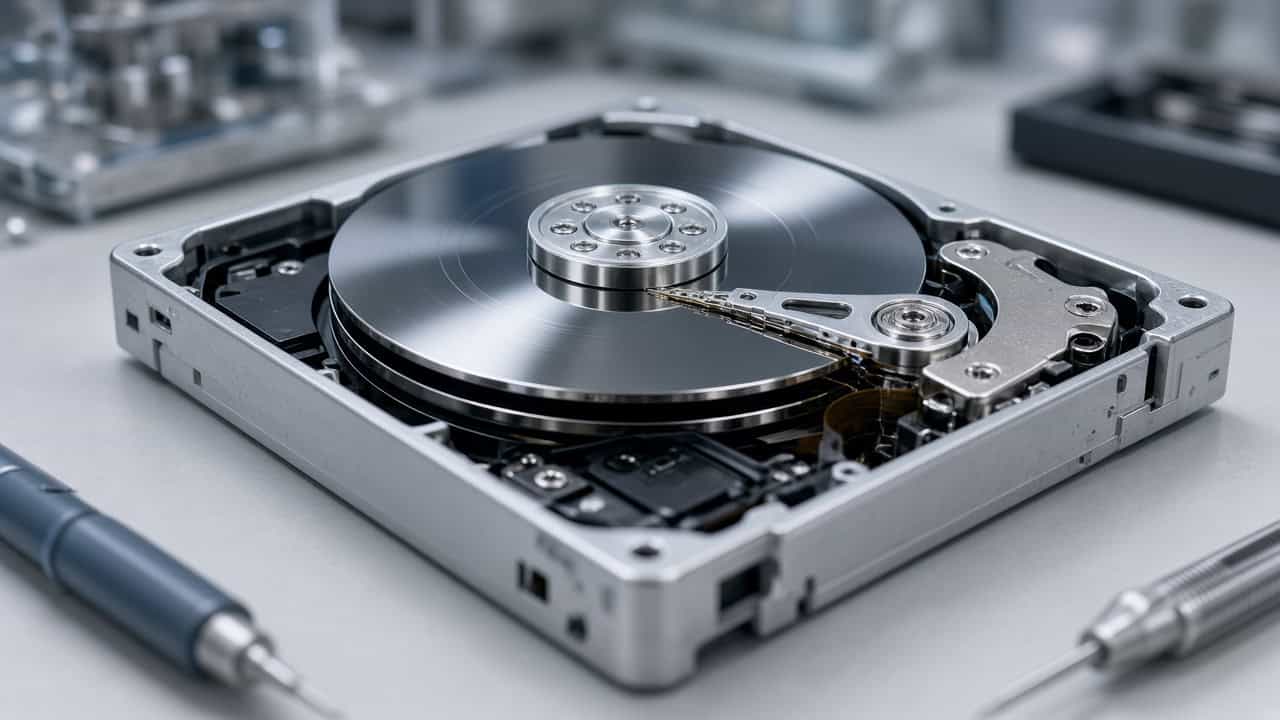
Hard Drive Data Recovery Services
A hard drive that stops working rarely announces what went wrong. It clicks, or it beeps, or it spins and never shows up, or your computer simply stops seeing it. Underneath, the data is usually still on the platters, and whether it stays recoverable depends mostly on what happens next. Gillware has recovered data from failed hard drives since 2004: desktop and laptop drives, portable and desktop externals, and the high-capacity drives inside NAS units and servers, from every manufacturer.
Hard drive clicking, silent or not detected?
Power it down and stop troubleshooting. Our engineers will diagnose it for free and tell you what it will take before any recovery work begins.
This page is built to get you to the right answer quickly. Start with the symptom table to see what your drive is probably telling you and what to do in the next ten minutes. Then read what makes a failing drive worse, how a recovery actually works in our lab, and how a case is quoted. Each section links to a deeper page when you need one.
Find your symptom: what your hard drive is telling you
Most hard drive failures fall into a handful of patterns, and the sound or behavior usually points to the part that failed. Use this table as a first read, not a diagnosis. Two failures often overlap, and only an engineer with the drive on the bench can say for certain.
| What you see or hear | What it usually means | What to do now | Read more |
|---|---|---|---|
| Rhythmic clicking or ticking, drive never comes ready | Read/write heads can’t read the drive’s calibration data; often a failed head | Power it off now. Every restart risks the heads scraping the platters. | Hard drive clicking · Clicking hard drive recovery |
| Beeping or buzzing, no spin-up | Platters can’t start turning: heads stuck to the platter surface or a seized motor | Don’t tap, shake or keep retrying; that can tear the heads off. | Beeping hard drive recovery |
| Grinding, scraping or squealing | Physical contact inside the drive, often a head touching the platter | Turn it off immediately. This is the one sound where seconds matter. | Grinding and other noises |
| Completely silent, no spin, no lights | Electronics (PCB) failure or a seized spindle motor, often after a power event | Don’t swap in a board from another drive; modern boards carry drive-specific data. | Motor failure · After a power outage |
| Spins normally but the computer doesn’t detect it | Firmware or weak-head problem, or a failed USB bridge in an external | Stop reconnecting it to different ports and computers. | Spins but not detected · Not showing up |
| Wrong capacity, wrong model name, or BIOS hangs at boot | Corrupted firmware in the drive’s service area | Don’t run vendor diagnostics or firmware updates on it. | Hard drive firmware explained |
| Freezes, very slow copies, files that won’t open | Growing bad sectors or a degrading head | Stop copying files one by one. Each read wears the weak spot further. | Drive freezing your computer |
| Drive shows as RAW, asks to be formatted, or files were deleted | Logical damage: file system, partition table or deleted records | Don’t format, initialize or save anything new to it. | RAW drive recovery · Deleted data |
| Dropped, knocked over, or damaged by water or fire | Head crash, shifted platters, corrosion or burnt electronics | Don’t power it on to “see if it works.” Don’t dry it with heat. | Dropped hard drive · Scratched platters |
| External drive not showing up | Anything from a cable or enclosure fault to a failed drive inside | Try one known-good cable and port once, then stop. | External drive not showing up · Keeps disconnecting |
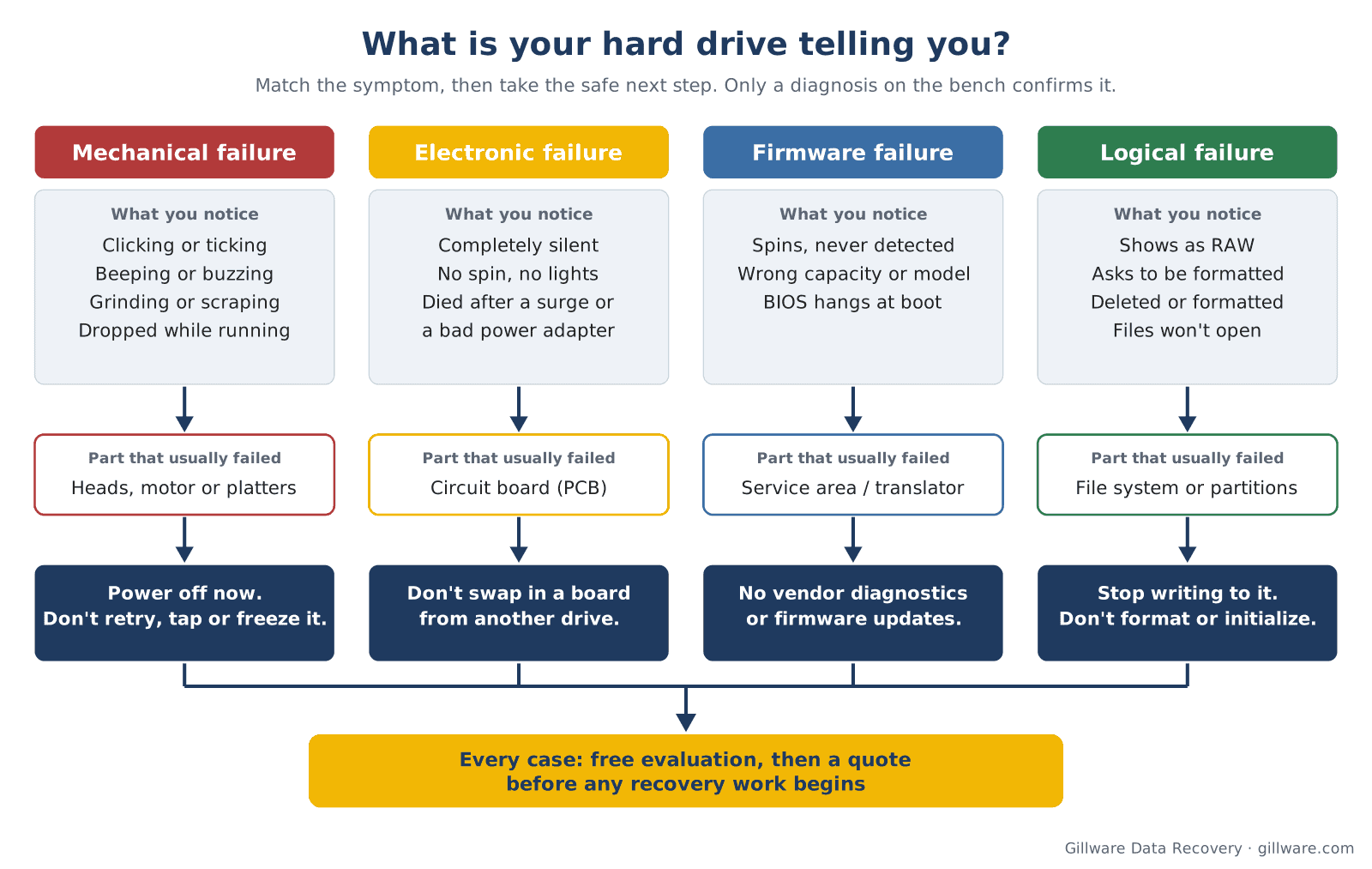
If the drive stopped working with no warning at all, Hard Drive Stopped Working walks through what a sudden failure usually means. For a broader overview of failure types, see hard drive failure.
Stop here first: what makes a failing drive worse
Many of the hardest cases we see started simple. They got worse because of a well-meant first step. If the data matters, avoid these:
- Repeated power cycling. Each start-up asks a failing head to do the hardest thing it does: find its calibration data and settle onto the platter. A head that is already damaged can turn a clean head replacement into a scratched-platter case.
- Disk checks and repair utilities. CHKDSK, fsck, First Aid and similar tools assume the hardware is healthy. On a physically failing drive they read the whole surface and write changes to the file system, which can wear out a weak head and overwrite the structures we need.
- Recovery software on a drive that clicks, beeps or freezes. Software works through the drive’s own heads and electronics. If those are failing, hours of scanning put wear on exactly the part that is breaking.
- The freezer. It doesn’t fix a mechanical fault, and condensation inside the drive adds a new problem. See the hard drive freezer myth.
- Opening the drive. The heads fly a few nanometers above the platters. Ordinary room dust is big enough to cause a head crash. Opened drives need a cleanroom, and ours is an ISO 5 (Class 100) cleanroom.
- Swapping the circuit board. The board on a modern drive holds adaptive data unique to that drive’s heads and platters. A board from an identical model usually won’t work and can damage the heads.
- Writing to the drive after deleting or formatting. Deleted files stay recoverable until new data lands on top of them. Stop using the drive, and don’t install recovery software on it.
If the drive is in a laptop and you need to get it out, how to remove a hard drive from a dead laptop covers when that is safe and when the whole machine should come to us instead.
Hard drive repair or hard drive recovery: which do you need?
A lot of people search for “hard drive repair” when a drive dies. It’s a reasonable instinct: something broke, so fix it. But a failed hard drive is a commodity part. A new drive costs less than repairing an old one, and a repaired drive is not something you would want to trust with your files again. What you actually need back is the data.
That’s the difference between the two. Data recovery uses replacement parts, firmware work and specialized imaging hardware only long enough to read every recoverable sector into a safe copy. The original drive is not returned to service; your files are returned on a new drive. If you landed here looking for repair, our hard drive repair page explains in more detail why recovery, not repair, is the right goal.
How a hard drive fails: the short anatomy
Every hard drive failure traces back to one of five parts, and the part decides the recovery path.
Read/write heads
The heads sit on the end of an actuator arm and fly just above the spinning platters. They are the most common point of failure: they wear, they degrade after a knock or a drop, and they can fail outright when the drive is moved while running. A drive with a failed head usually clicks, beeps or never comes ready. Recovery means replacing the head stack in a cleanroom with a compatible donor and then reading the drive under tight control. More on the head assembly: the read/write head assembly.
Platters
The platters hold your data in a magnetic coating. They are surprisingly durable, and they usually survive the failure itself. Damage happens when a failed head keeps running across the surface and scores rings into the coating. Light damage limits what can come back from the affected areas; severe scoring can destroy it. See hard drive platters and scratched platter recovery.
Spindle motor
The motor spins the platters at a constant speed. A seized motor, or heads stuck to the platter surface after the drive stopped in the wrong place, both leave a drive that hums or beeps and never spins up. That can mean moving the platters to a donor motor assembly under cleanroom conditions. See hard drive motor failure.
Circuit board (PCB)
The board on the underside carries the controller, the motor driver and a small chip with data unique to that drive. Power surges, bad power adapters and damaged USB ports kill boards. The fix isn’t a swapped board: it’s moving the drive-specific data, or the chip itself, to a compatible board so the drive can identify itself again.
Firmware and the service area
Every drive runs its own firmware, stored partly on the board and partly in a reserved area of the platters. It holds the defect lists and the translator that maps your data to physical locations. When it corrupts, a mechanically healthy drive can show the wrong capacity, report a strange model name, or never become ready. Firmware recovery needs direct access to the drive’s diagnostic interface, and it’s invisible from the outside. Example: a Seagate Barracuda firmware failure.
Many drives arrive with more than one of these at once, for example a weak head that has also corrupted part of the firmware. That’s normal, and it’s why diagnosis comes before any quote.
Recognize your drive in the table above? Send it to us for a free diagnosis before anything else is tried on it.
What happens to your drive in our lab
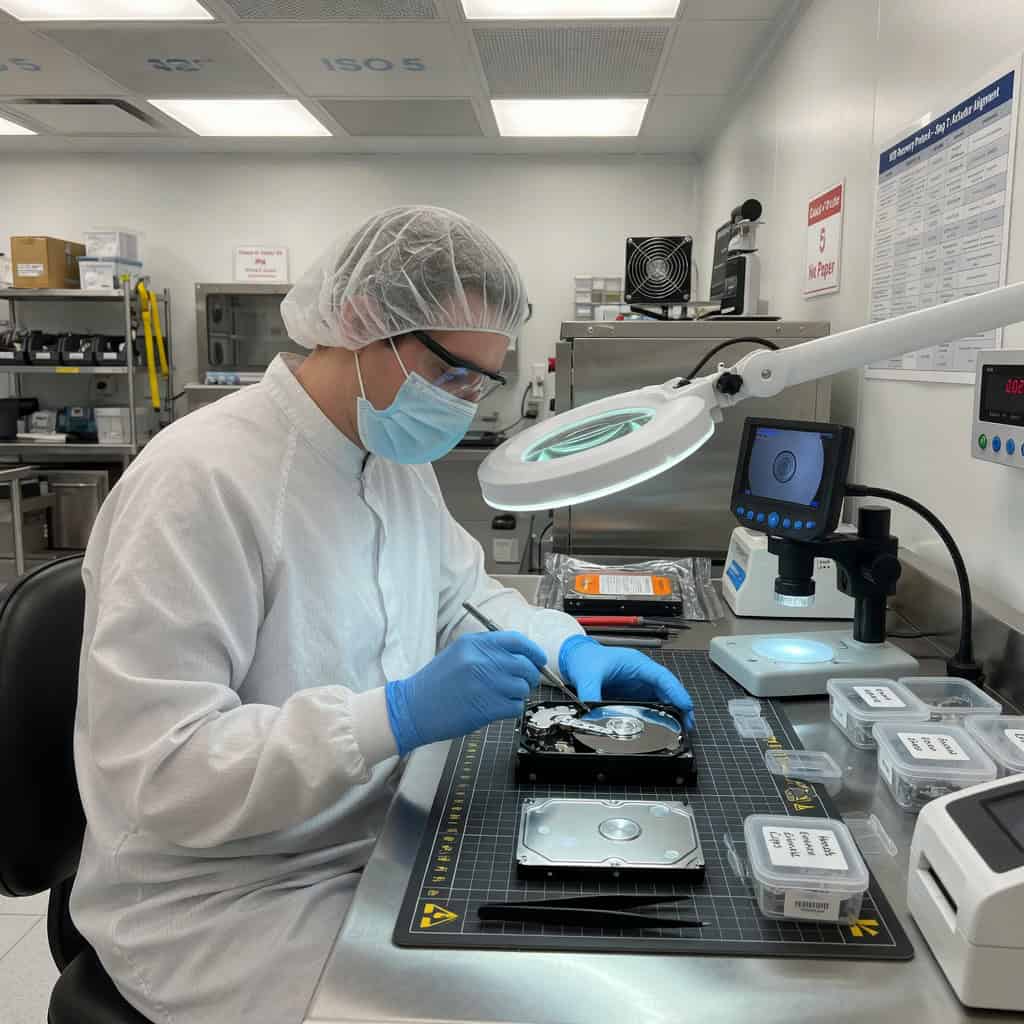
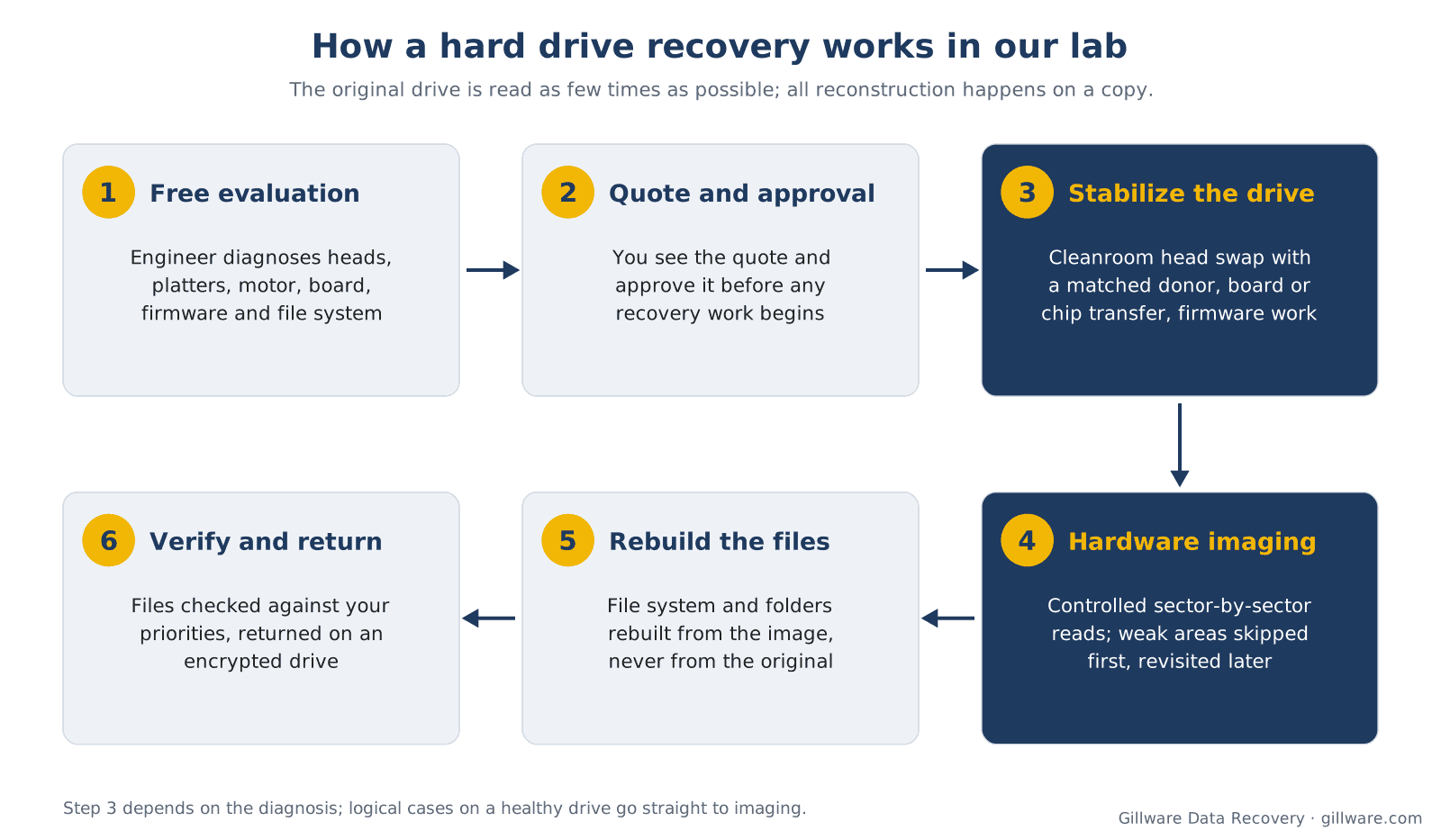
Every hard drive case follows the same path, whether it’s a single laptop drive or a stack of drives from a failed NAS.
- Free evaluation. You open a case and send the drive in. An engineer diagnoses the failure: heads, platters, motor, electronics, firmware, logical damage, or a combination.
- Quote and approval. You get a quote for the recovery based on what the diagnosis found. Nothing is done to the drive until you approve it.
- Stabilize the drive. Depending on the failure: a head stack replacement in the cleanroom using a matched donor from our donor library, built up over more than two decades; a board or chip transfer; or firmware work through the drive’s diagnostic interface.
- Image, don’t copy. The drive is read sector by sector onto a healthy target with hardware imaging tools that control every read: they map weak heads, skip damaged regions on the first pass, and come back for them later instead of hammering them. The original is read as few times as possible.
- Rebuild the files. File systems, folders and files are reconstructed from the image, never from the original drive. This is also where we handle formatted, deleted and RAW volumes.
- Verify and return. Engineers check the recovered files against your priority list. Your data comes back on an encrypted drive with the original folder structure.
Our data recovery lab page shows the facility, and why a cleanroom matters explains what it does for an opened drive. When a business is down and can’t wait, emergency data recovery moves the case to the front of the line with engineers working it continuously.
What hard drive data recovery costs
Every case is quoted after a free evaluation, so you know the cost before any recovery work begins. The price depends on what failed, not on how much data is on the drive: a logical problem on a healthy drive is a very different job from a head replacement on a drive with platter damage. Hard drive recovery cost explains what goes into a quote, and our data recovery cost guide covers other devices.
Hard drive recovery by manufacturer
Each manufacturer has its own firmware architecture, head designs and failure habits, and that shapes the recovery. We work on every brand, current and discontinued. The brand pages go into model families and typical failures:
- Western Digital: internal Blue, Black, Red and Purple drives, and My Passport, My Book, Elements and easystore externals
- Seagate: Barracuda, IronWolf, SkyHawk and Exos, plus Expansion, One Touch and Backup Plus externals
- Toshiba: P300, X300, N300, MG and MQ series, and Canvio externals
- Hitachi and HGST: Deskstar, Travelstar and Ultrastar
- Samsung: Spinpoint internals and M3 and D3 externals
- LaCie: Rugged, d2 and Porsche Design externals
- Maxtor, Quantum and IBM: discontinued brands that still turn up in older computers and archives
- Buffalo: DriveStation and MiniStation externals and LinkStation and TeraStation NAS units
Not sure who made the drive inside your enclosure? Hard drive manufacturers covers the brands still in production and who owns the old ones.
Recovery by device and situation
- External drives: external hard drive data recovery covers enclosures, USB bridges and hardware-encrypted portables.
- Laptops: laptop data recovery covers 2.5-inch drives, M.2 SSDs and soldered storage. HP owners can start with HP data recovery.
- Macs: Mac data recovery covers iMac, MacBook and Mac mini storage, including Fusion Drives.
- Large drives: 16 TB and larger helium drives are covered in high-capacity hard drive recovery.
- Formatted or deleted: see accidental reformat recovery, recovering deleted files and logical hard drive failure.
- A drive that seems completely dead: how to recover data from a dead hard drive.
If the failed device isn’t a spinning hard drive, these pages fit better: SSD data recovery, flash drive recovery, NAS data recovery, RAID data recovery and server data recovery.
Why people send their hard drives to Gillware
- More than two decades of hard drive work. Since 2004, Gillware has recovered data from more than 100,000 storage devices.
- Our own engineers, our own lab. Your drive is diagnosed and recovered by Gillware engineers in our Madison, Wisconsin lab.
- Trusted by IT professionals. More than 1,500 IT professionals refer their clients to us.
- A cleanroom and a donor library. Opened-drive work happens in an ISO 5 (Class 100) cleanroom, using donor parts matched from an inventory built over more than two decades.
- No surprises. You see the quote before any recovery work begins, and you approve it before we start.
Hard drive data recovery FAQ
Can data be recovered from a hard drive that won’t spin or isn’t detected?
Often, yes. A drive that won’t spin or isn’t detected usually has a failed head, motor, board or firmware problem, and the data on the platters is often intact. The biggest risk is what happens before it reaches a lab, so power it off and leave it off.
Should I try data recovery software first?
Only if the drive is mechanically healthy: it’s quiet, it’s detected at the right capacity, and it reads at normal speed, and the problem is a deleted file or a formatted volume. If the drive clicks, beeps, grinds, freezes or disappears, software can make things worse by working a failing drive, and an expert can recover the files without that risk.
How long does hard drive recovery take?
It depends on the failure. A logical problem on a healthy drive is quicker than a head replacement, and a drive with weak heads or damaged platters has to be imaged slowly to protect what’s left. Once the drive is diagnosed, your engineer can tell you what to expect. If you can’t wait, ask about emergency service.
Do I need to send the whole computer?
Usually just the drive. Laptops with storage soldered to the logic board, and some Macs, are the exception; the whole machine needs to come in. If you aren’t sure, call us at 877-624-7206 before you take anything apart.
What if you can’t recover my data?
For single-drive cases, you pay only if we meet your recovery goals, which we agree with you before you approve the work.
Is my data kept confidential?
Yes. Your drive is worked on by Gillware engineers in our own lab, and recovered data is returned to you on an encrypted drive.
Hard drive failed? Let’s get your files back.
Our highly experienced engineers strive for the highest success rates in the industry. Send us the device and we’ll diagnose it for free.
- More than 20 years recovering data from failed drives
- Trusted by 1,500+ IT professionals nationwide
- Whatever failed, we’ve seen it hundreds of times
- Pay only if we meet your recovery goals