
Data Recovery in Westchester and the Bronx
A White Plains law office missing a folder of scanned case files. A Riverdale family whose vacation photos vanished from a camera card. A Fordham student staring at a laptop that won’t get past a blue screen during finals. Westchester and Bronx residents lose data the same ways everyone does, and Gillware has been getting it back for more than 20 years from our engineering lab in Madison, Wisconsin.
When the device still works and the files are deleted, formatted or trapped behind a crashed system, there’s a local option just off the parkways: our data recovery kiosk at Micro Center Yonkers.
Missing files in Westchester or the Bronx?
Drop the device at our kiosk in Micro Center Yonkers, or call and we’ll recommend the best next step.
- More than 20 years of professional data recovery
- Recommended by 1,500+ IT pros to their own clients
- 4.8 stars from 340+ Google reviews
Drop Off at Micro Center Yonkers
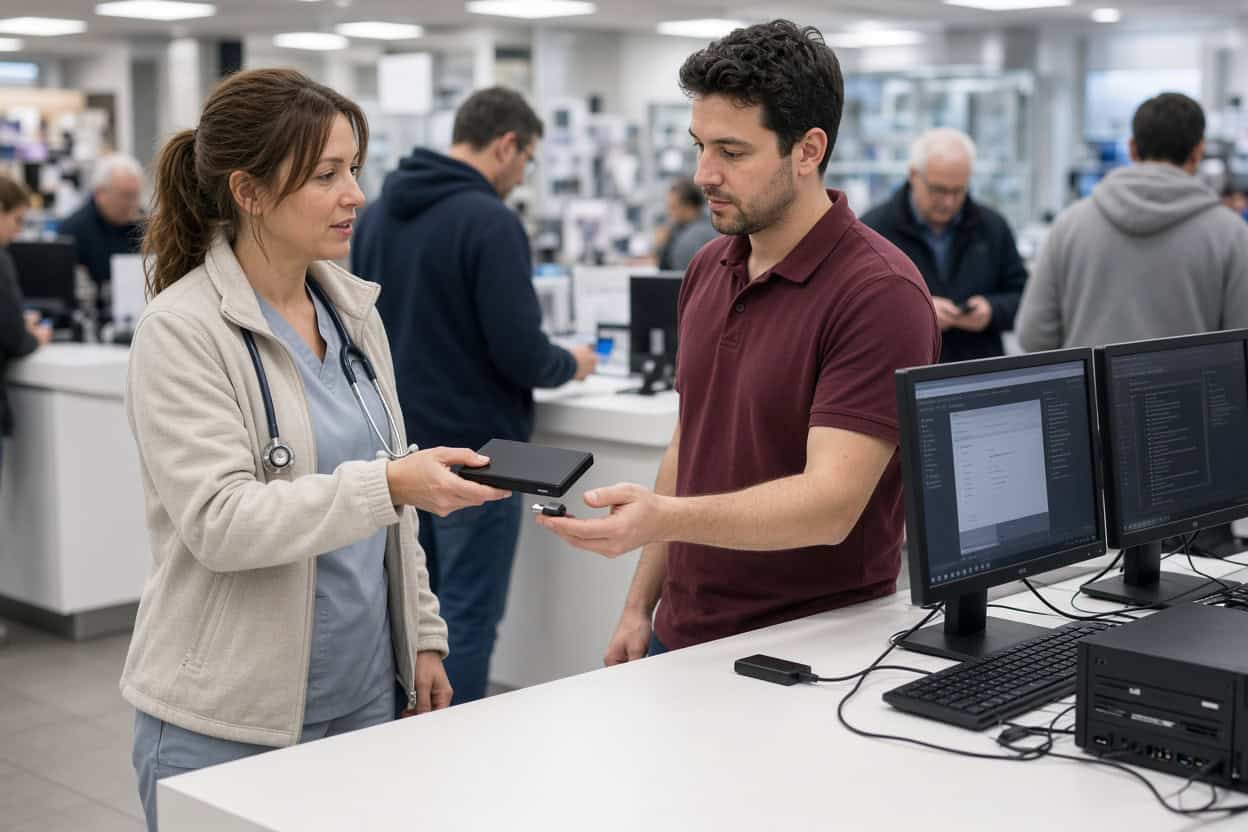
Gillware’s kiosk is at the service desk inside Micro Center Yonkers on Central Park Avenue in southeast Yonkers. No appointment is needed. Bring your device in during store hours and the service desk team will check it in for evaluation.
Micro Center Data Recovery (powered by Gillware)
750 Central Park Ave, Suite A, Yonkers, NY 10704
Phone: (914) 335-3556
Monday – Saturday: 10:00 am – 9:00 pm
Sunday: 11:00 am – 6:00 pm
File Recovery at Our Yonkers Kiosk
The Yonkers kiosk specializes in logical recovery. The device still works, but files have been deleted, a drive has been formatted, or a damaged file system or operating system is standing in the way. In these cases the data is almost always still physically present, which is why they’re so recoverable, and also why they’re so easy to ruin. A recovery program installed onto the affected drive, rescued files saved back to it, or a disk repair tool run in a panic can overwrite what’s left. The kiosk team uses professional tools and keeps your original data untouched.
Photos you deleted by mistake
Family gatherings, a trip to the Bronx Zoo, a newborn’s first year, wedding photos on an old laptop. When a photo is deleted, its storage is flagged as reusable but the image usually stays put. Stop using the card or drive and bring it in for deleted photo recovery before anything new lands on top.
Deleted or missing video
Graduation videos, home movies digitized from old tapes, security camera footage, client video projects. Large video files break into many pieces across a drive, so rebuilding them takes care. The kiosk recovers deleted video from cameras, laptops, external drives and memory cards and checks each file for playback.
Deleted case files, records and documents
Scanned legal documents, medical paperwork, spreadsheets, school assignments and tax returns can usually be retrieved after deletion, even once the Recycle Bin or Trash has been emptied. Deleted file recovery works best when the drive hasn’t been heavily used since. The kiosk is a hands-off file recovery service, so there’s no software for you to sort out.
Drives formatted by accident
Formatting the wrong disk, letting a console or DVR reformat an external drive, or formatting a card in a new camera typically leaves the files themselves in place. A standard format wipes the index, not the content. Formatted drive recovery is routine work for the kiosk when the drive hasn’t been refilled.
Drives showing as RAW or unformatted
If Windows says a drive isn’t formatted, lists it as RAW, or a partition disappears from Disk Management, the file system is damaged but the data is usually intact. Close the dialog without formatting and bring the drive to Yonkers.
Computers that crash at startup
Blue screens, restart loops, a laptop frozen mid-update, a Mac that never finishes loading. Operating system failures usually leave files intact. A reinstall or factory reset will not, so let the kiosk recover your data before anyone wipes the drive.
Files that disappeared after an upgrade
New laptops, Windows updates that reset a user profile, and cloud syncs that delete local copies all leave people hunting for missing folders. Westchester and Bronx clients often find the originals still on the old drive.
Corrupted files and blank memory cards
Pictures that half-load, documents that won’t open, an SD card or USB drive that suddenly reads as empty. When the card or drive is physically fine and still detected, the kiosk can usually recover clean copies. Cracked cards and broken flash drives go to the lab.
Before You Come In
- Stop using the device so new data doesn’t overwrite your files.
- Don’t install recovery software on the affected drive.
- Decline any format, initialize or repair prompt.
- Bring cables and power adapters for external drives, and a note of the files you need most.
Broken Hardware Goes to Our Lab
Physical failures need cleanroom recovery, and powering a damaged drive again and again can make things worse. Nor’easters, basement flooding and summer power surges all send devices our way. These belong in our lab:
- Hard drives that click, buzz or grind
- External drives that were dropped
- Surge, outage or wrong-adapter damage
- Flooding, spills or fire
- SSDs and flash drives that aren’t detected
- Failed NAS and RAID systems
Phones are handled by our lab. The Yonkers kiosk doesn’t recover data from smartphones. Dead, cracked or water-damaged phones need chip-level phone data recovery from our engineers.
Our Madison engineers work inside ISO 5 cleanroom stations, rebuild drives with parts from an extensive donor library, and image failing media with read-only tools we built in-house. The Micro Center Yonkers service desk can examine a damaged device and refer it to our data recovery lab, or you can ship it to us yourself. Standard single-device cases in the continental US ship free with a prepaid label. The evaluation is free, and you pay only when we meet your recovery goals at a price that makes sense.
Not sure where to bring it?
Call 877-624-7206 and tell us what’s going on. We’ll let you know whether Micro Center Yonkers or our lab is the right place.
Westchester and Bronx Data Recovery FAQ
Where can I get data recovery in Westchester?
Our kiosk is inside Micro Center Yonkers on Central Park Avenue, convenient to the Bronx, Mount Vernon, New Rochelle and White Plains. Queens and Brooklyn residents may find our Flushing or Brooklyn locations closer. You can also ship directly to our Madison lab with free inbound shipping on standard single-device cases.
Can you recover scanned documents I deleted from a work computer?
Usually, if the computer hasn’t been used heavily since. Stop working on it and bring it in so nothing overwrites the files.
My laptop shows a blue screen on every startup. Are my files lost?
Probably not. Blue screens usually point to software or driver problems. The kiosk can recover files from a healthy drive before Windows is reinstalled; a failing drive goes to our lab.
How is pricing handled?
It depends on the device and what happened. The evaluation is free, and you’ll approve a quote before recovery begins.
Do I need an appointment?
No. Walk up to the Yonkers service desk any time during store hours.
Can the kiosk recover data from a phone?
No. Phones are recovered in our lab at the board and chip level. Start a phone case online or call 877-624-7206.
Can you handle confidential client files?
Yes. Files are opened only to recover and verify them. Gillware never sells or shares client data, and lab cases are handled by background-checked staff in a secure facility.
Serving Westchester and the Bronx
Our Micro Center Yonkers kiosk serves Yonkers, the Bronx, Riverdale, Mount Vernon, New Rochelle, White Plains, Scarsdale, Eastchester, Tuckahoe and Hastings-on-Hudson. Everyday file loss stays local, and anything that needs a cleanroom has the Gillware lab behind it. Walk in or ship it; it’s the same team either way.
Your files are worth one more try.
Drop off at Micro Center Yonkers, or send your device to our lab for a free evaluation.
- More than 20 years recovering data from failed drives
- Trusted by 1,500+ IT professionals nationwide
- Whatever failed, we’ve seen it hundreds of times
- Pay only if we meet your recovery goals (lab cases)