
Data Recovery in Chicago
A Logan Square photographer who formatted the wrong card. A Loop accounting office missing a folder of client returns in March. A DePaul student whose laptop froze mid-update and never came back. Chicago produces every kind of data emergency, and Gillware has been resolving them for more than 20 years from our engineering lab a few hours up I-90 in Madison, Wisconsin.
If your device still powers on and the problem is deleted, formatted or unreachable files, you don’t need to send it anywhere. Our data recovery kiosk at Micro Center Chicago is right in Bucktown.
Files gone missing in Chicago?
Bring the device to our kiosk at Micro Center Chicago, or call us first and we’ll tell you the best place to send it.
- 20+ years of data recovery from our Midwest lab
- Trusted by more than 1,500 IT pros who refer their own clients
- 4.8 stars from over 340 Google reviews
Drop Off at Micro Center Chicago
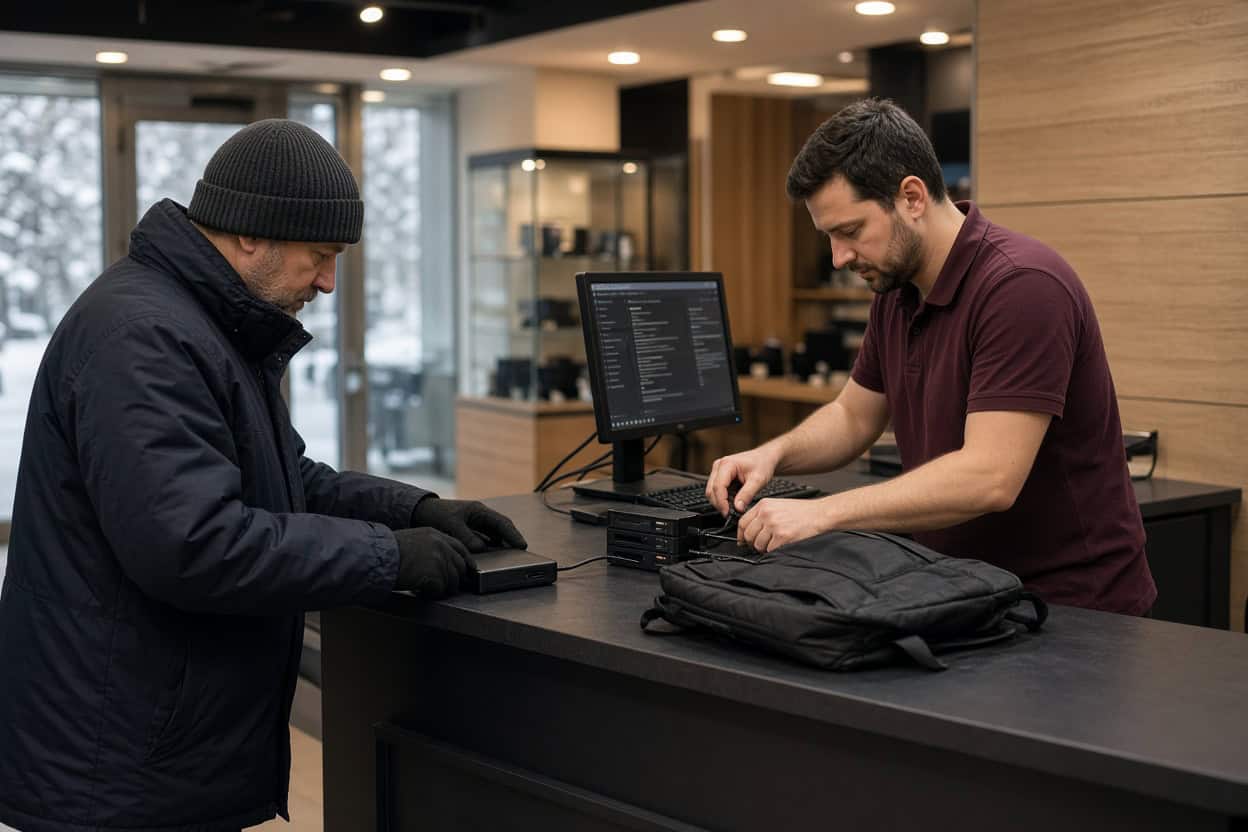
Gillware’s kiosk is at the service desk inside Micro Center Chicago on Elston Avenue in Bucktown, minutes from the Kennedy Expressway. Walk in during store hours without an appointment, and the service desk team will check your device in for evaluation.
Micro Center Data Recovery (powered by Gillware)
2645 N Elston Ave, Chicago, IL 60647
Phone: (872) 246-7500
Monday – Saturday: 10:00 am – 9:00 pm
Sunday: 11:00 am – 6:00 pm
What Our Chicago Kiosk Recovers Every Day
Most people who walk up to the kiosk have a device that works fine and files that don’t. Data professionals call that logical data loss: the drive, card or computer is physically healthy, but the files have been deleted, the drive has been formatted, or the operating system can no longer reach them. These cases are usually very recoverable. They also tend to get ruined by trial-and-error at home, because every new program installed and every file saved can land on top of the data you want back. The kiosk team avoids those traps for a living.
Deleted photos
Summer festival shots wiped from an SD card, a lakefront engagement shoot deleted during cleanup, years of family pictures lost from a laptop’s Pictures folder. Deleting a photo releases the space it occupies but leaves the image data in place until something overwrites it. Stop using the card or drive, and bring it in for deleted photo recovery as soon as possible.
Deleted videos
Video files are large, so they’re stored in many separate chunks across a drive. That makes deleted video recovery more delicate than photo recovery, and a partially recovered clip is often unplayable. The kiosk recovers video from cameras, drones, dash cams, laptops, external drives and memory cards, and verifies each file plays before you take it home.
Deleted files and folders
Spreadsheets, Word documents, PDFs, design files, tax records. Even after the Recycle Bin or Trash has been emptied, deleted file recovery is usually possible if the drive hasn’t seen heavy use since. If you’ve been searching for a file recovery service so you don’t have to wrestle with software yourself, this is exactly that.
Formatted drives and cards
Formatting a drive to share between a Mac and a PC, letting an Xbox or PlayStation claim an external disk, or reformatting the wrong SD card in a camera are everyday mistakes. A standard format replaces the drive’s directory but leaves the underlying files largely untouched, which is why formatted drive recovery is routine kiosk work as long as nothing new has been saved.
RAW drives and missing partitions
When a drive shows up as RAW, a partition disappears, or your computer asks you to format a disk that worked fine yesterday, the file system has been damaged. The files themselves are typically still there. Close the prompt without formatting, and let the kiosk rebuild access to the data.
Computers that won’t boot
A failed Windows update, a corrupted startup disk, a blue screen on every boot, a Mac stuck in recovery mode. When the operating system breaks, the files usually survive, but a factory reset or reinstall will overwrite them. Have the kiosk recover your data first, then fix or replace the computer.
Files lost in a migration or sync
Moving to a new laptop, letting a cloud service “reconcile” folders, or switching user accounts after an upgrade can quietly drop files. Chicago clients regularly find their missing work still sitting on the old drive.
Corrupted files
Photos with gray bands, Excel files that refuse to open, videos that freeze at the same point. Power interruptions, unsafe ejection and interrupted copies are common causes. An intact earlier copy may still exist on the drive, so stop re-saving the damaged version and bring the original device in.
Before You Visit Bucktown
The best thing you can do is stop using the device. Don’t download recovery apps onto it, don’t accept prompts to format or repair it, and don’t keep restarting a computer that won’t boot. If it’s an external drive, bring the cable or power adapter. A short list of the files that matter most helps the team focus on what you actually need.
Hardware Problems Belong in the Lab
Physical failures are a different situation. No software can fix a damaged drive, and repeatedly powering it on can turn a recoverable case into a lost cause. These go to our cleanroom:
- Clicking, beeping, grinding or a drive that won’t spin
- An external drive that fell off a desk or out of a bag
- Electrical damage from surges, outages or the wrong power supply
- Water, fire or extreme cold followed by condensation
- An SSD or flash drive that isn’t detected anywhere
- A failed NAS or RAID array
Smartphones need the lab. The Chicago kiosk doesn’t recover data from phones. Dead, broken and water-damaged phones are handled by our engineers with chip-level phone data recovery.
In Madison, our engineers work inside ISO 5 cleanroom stations, rebuild failed drives with parts from a large donor library, and read unstable media with imaging tools we designed ourselves. The Micro Center Chicago service desk can take a first look and refer a damaged device to our data recovery lab, or you can ship it to us directly. Standard single-device cases in the continental US ship free with a prepaid label. Evaluations are free, and you pay only when we meet your recovery goals at a price that makes sense.
Kiosk or lab: which one?
Call 877-624-7206 and tell us what the device is doing. We’ll tell you whether Micro Center Chicago or our lab is the right first stop.
Chicago Data Recovery FAQ
Where can I get data recovery in Chicago?
Our kiosk is inside Micro Center Chicago on Elston Avenue, close to Logan Square, Wicker Park and Lincoln Park. Western suburbs residents may prefer our Westmont location. Chicago clients can also ship directly to our Madison lab with free inbound shipping on standard single-device cases.
I formatted my camera card by mistake. Can the photos come back?
In most cases, yes, provided you haven’t kept shooting on it. Put it away and bring it to the kiosk.
My laptop won’t get past the logo screen. Are my files lost?
Not necessarily. If the drive is healthy, the kiosk can recover your files before anything is reinstalled. If the drive has failed physically, it will be referred to our lab.
What does it cost?
Pricing depends on the device and the problem. Every case begins with a free evaluation, and you’ll see a quote before recovery proceeds.
Do I need an appointment?
No. Walk up to the service desk at Micro Center Chicago during store hours.
Can you recover data from my phone at the kiosk?
No. Phone recovery happens in our lab, where engineers work directly on the phone’s board and chips. Start a phone case online or call 877-624-7206.
Is my data kept confidential?
Yes. Files are opened only to recover and verify them, and Gillware never sells or shares client data. Lab cases are handled by background-checked staff in a secure facility.
Serving Chicago’s Neighborhoods and Near Suburbs
Our Micro Center Chicago kiosk serves Bucktown, Logan Square, Wicker Park, Lincoln Park, Lakeview, Avondale, Roscoe Village and the rest of the city, plus Evanston, Oak Park and Skokie. Everyday file loss can be handled right on Elston, and anything that needs a cleanroom goes to the Gillware lab. Same company, same engineers, whichever way your device reaches us.
Chances are your files can still be saved.
Drop off at Micro Center Chicago, or send your device to our lab for a free evaluation.
- More than 20 years recovering data from failed drives
- Trusted by 1,500+ IT professionals nationwide
- Whatever failed, we’ve seen it hundreds of times
- Pay only if we meet your recovery goals (lab cases)