
Server Data Recovery
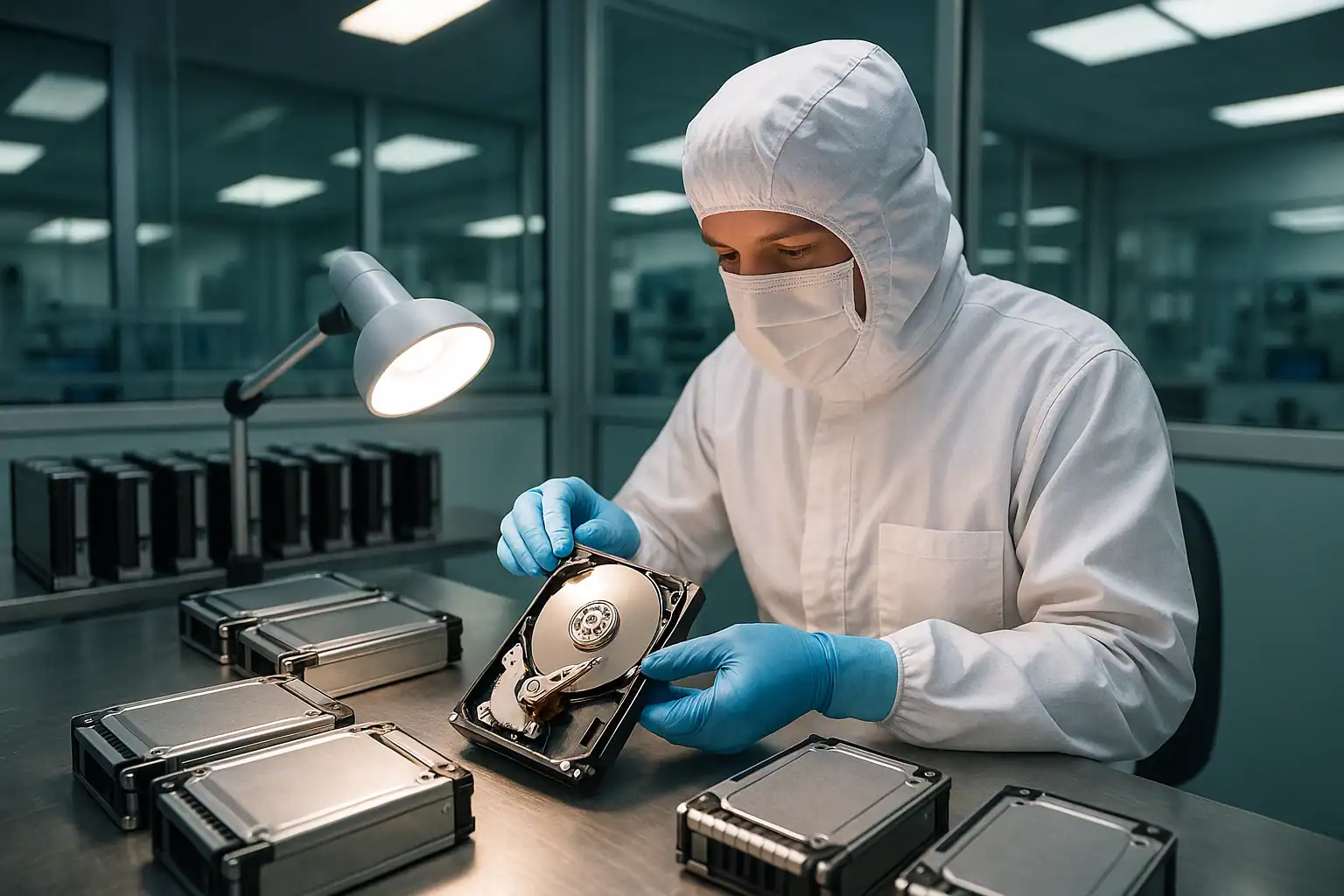
When a server goes down, the clock is the enemy. Every hour of downtime costs revenue, productivity, and — in regulated industries — compliance exposure. If you’re reading this, your server has crashed, your RAID array is degraded, your backup turned out to be unreliable, or something has gone wrong in a way standard IT troubleshooting can’t fix. That’s why Gillware exists.
We’ve been recovering data from failed servers since 2004. Dell PowerEdge, HP ProLiant, Synology RackStation, Supermicro, IBM, Cisco UCS, custom-built whitebox servers — we handle them all. RAID 5 failures with multiple bad drives, RAID 6 arrays where the rebuild never completed, virtual environments where the underlying datastore is corrupted, ransomware that encrypted the production volumes, accidental LUN deletion on a SAN. If the data is on storage media that ever worked, there’s usually a path to getting it back.
This page walks through how our server recovery process works, what kinds of failures we recover from, and how to engage with our server team. Every case starts the same way: with a free consultation where we talk through your specific scenario and tell you honestly what’s possible.
What We Recover From
Server failures don’t fit neat categories — most of the cases we see involve multiple failure modes happening at once. These are the scenarios that come into our lab most often.
RAID array failures
The most common reason servers come to us. A RAID array tolerates a certain number of drive failures, but when that tolerance is exceeded, the array crashes. Some specific patterns we see constantly:
- RAID 5 with two failed drives. RAID 5 can survive one drive failure. When a second drive fails before the first is rebuilt — or during the rebuild itself — the array goes offline. This is the single most common server recovery scenario.
- RAID 6 with three failed drives, or RAID 6 that experienced bad sectors on multiple remaining drives during a rebuild.
- RAID 10 with paired-mirror failures where both halves of a mirror failed.
- Nested arrays (RAID 50, RAID 60) where failures cascaded across sub-arrays.
- Failed rebuilds. Sometimes a rebuild appears to start but never completes, leaving the array in an inconsistent state.
Our RAID engineers reconstruct arrays where commercial RAID controllers and standard recovery tools have given up. More on our RAID data recovery process.
RAID controller failures
A failed RAID controller card can lock you out of an otherwise-healthy array. Replacement controllers — even identical models — sometimes can’t read the metadata written by the original. Older controllers may no longer be available at all. We work around controller failures by reading the drives directly and reconstructing the array in software using the metadata still present on the drives themselves.
Foreign configuration errors
When you move drives between servers or replace a failed controller, the new controller often flags the array as a “foreign configuration.” Choosing the wrong option at that prompt can destroy the array. Read about a Dell foreign configuration recovery we handled where a power outage triggered exactly this scenario.
Virtual environment failures
VMware ESXi, Hyper-V, KVM, and other hypervisors store entire virtual machines as files on the underlying storage. When the storage fails, every virtual machine running on it goes down at once. We routinely recover:
- VMFS volumes from failed datastores
- Deleted or corrupted VMDK files
- Hyper-V virtual hard disks (VHD/VHDX) from failed storage
- Deleted virtual machines
- Snapshot chains that have become unusable
- iSCSI LUNs that were deleted or had their target files removed
See our VMware data recovery and Hyper-V data recovery pages for more detail.
Database server failures
When the server hosting a SQL, Oracle, MySQL, or PostgreSQL database goes down, the database itself often becomes the priority — not just the underlying files. We have specific tooling and expertise for SQL Server and Exchange Server recovery, including extraction of individual mailboxes, tables, and stored procedures from damaged database files.
Ransomware-encrypted servers
If ransomware has encrypted your server volumes, recovery depends entirely on which strain attacked you and what backups still exist. Modern ransomware (LockBit, BlackCat, Akira, and similar) uses strong encryption that cannot be broken without the attacker’s keys. What we can do is help with backup recovery from damaged backup servers, recovery of shadow copies that the malware missed, and forensic analysis of the attack itself. See our ransomware data recovery page.
Surveillance and NVR servers
Enterprise surveillance deployments and rack-mounted NVRs are a distinct server recovery category. Hikvision, Dahua, Milestone, Avigilon, Genetec, and integrator-built surveillance servers combine standard server hardware and RAID controllers with proprietary video-oriented file systems and continuous ring-buffer write patterns. When the array fails or the file system loses track of the recording buffer, standard RAID reconstruction gets the underlying volume back but not the playable footage — the video container needs to be parsed separately. We handle both halves of the recovery: rebuilding the RAID and extracting playable video from the surveillance file system on top. NVR RAID and surveillance server data recovery →
Hardware failures beyond the RAID
Servers can fail in ways that have nothing to do with the array itself: power supply failures that took out the backplane, fire or water damage, accidental shutdowns during heavy I/O, lightning strikes, motherboard failures that corrupted firmware on multiple drives at once. Whatever the cause, the recovery process starts the same way.
How Our Server Recovery Process Works
This is where the work happens, and it’s the reason we can often recover data from server failures that no commercial RAID rebuild utility or in-house recovery attempt would salvage. Our process has five distinct stages.
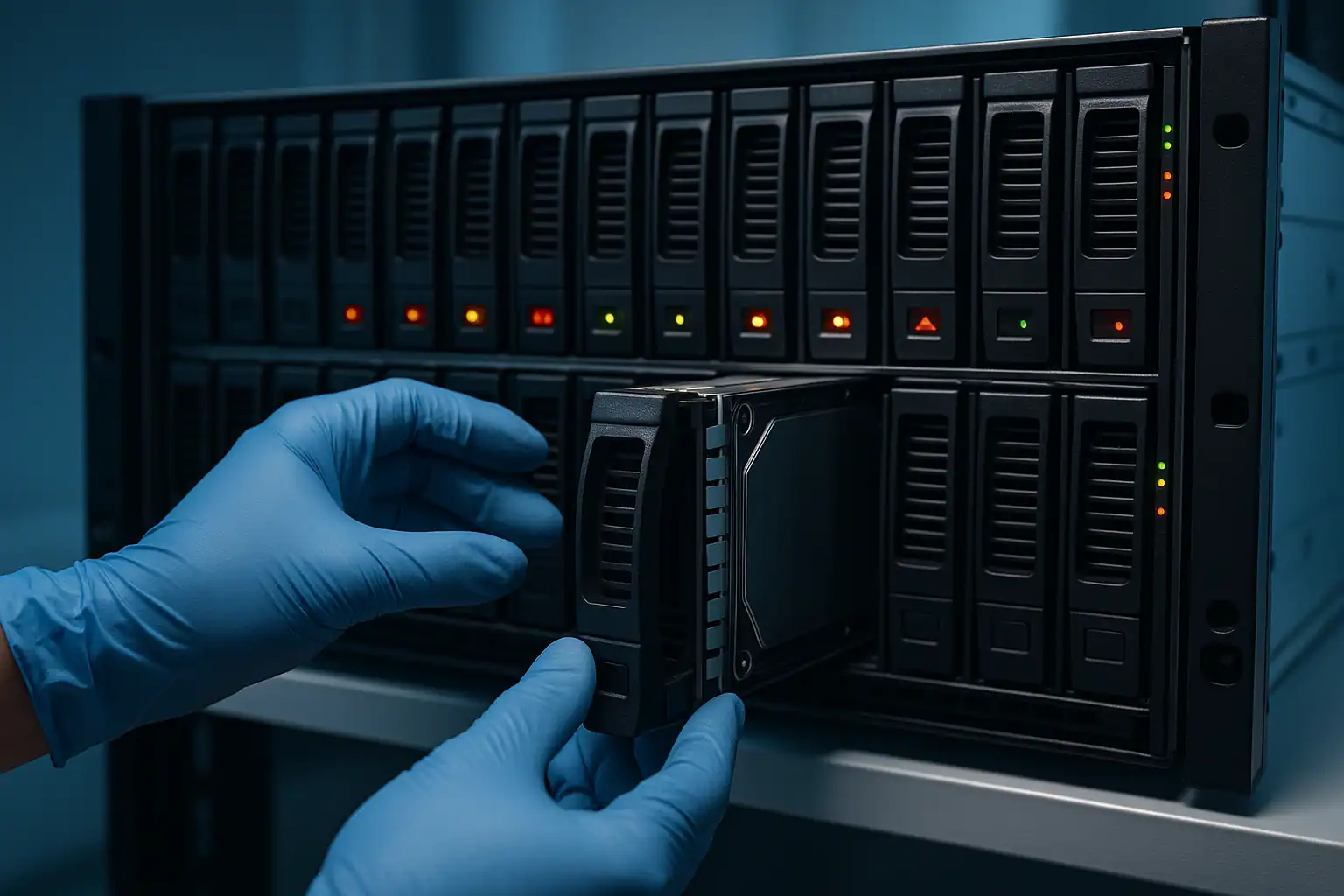
Step 1: Free consultation and case scoping
Every server recovery starts with a conversation with our server team — not a sales pitch. We need to understand your specific situation: what kind of server, what RAID configuration, what failed and in what order, what’s already been attempted, what data is most critical, whether the server can be shipped or needs to be recovered in place, and how time-sensitive the situation is.
This consultation is free. From it, we determine the scope of work, whether recovery is feasible, and what the engagement will look like. For larger enterprise jobs involving dozens of high-capacity drives, we provide a clear upfront quote based on projected engineering hours, machine hours, and data transfer time. We tell you what’s likely recoverable before any work begins.
Step 2: Temporary hardware-level repairs
For drives with mechanical or electronic failures, our engineers perform temporary hardware-level repairs in our ISO 5 Class 10 cleanroom: head transplants, PCB repairs, firmware adjustments. These repairs aren’t meant to restore the drive to long-term use — only to keep it readable long enough to capture a clean forensic image. Enterprise drives are particularly challenging because head-stack and platter geometry varies significantly between manufacturers and even between firmware revisions within the same model line, requiring careful donor-drive matching.
Step 3: Write-blocked forensic imaging of every drive
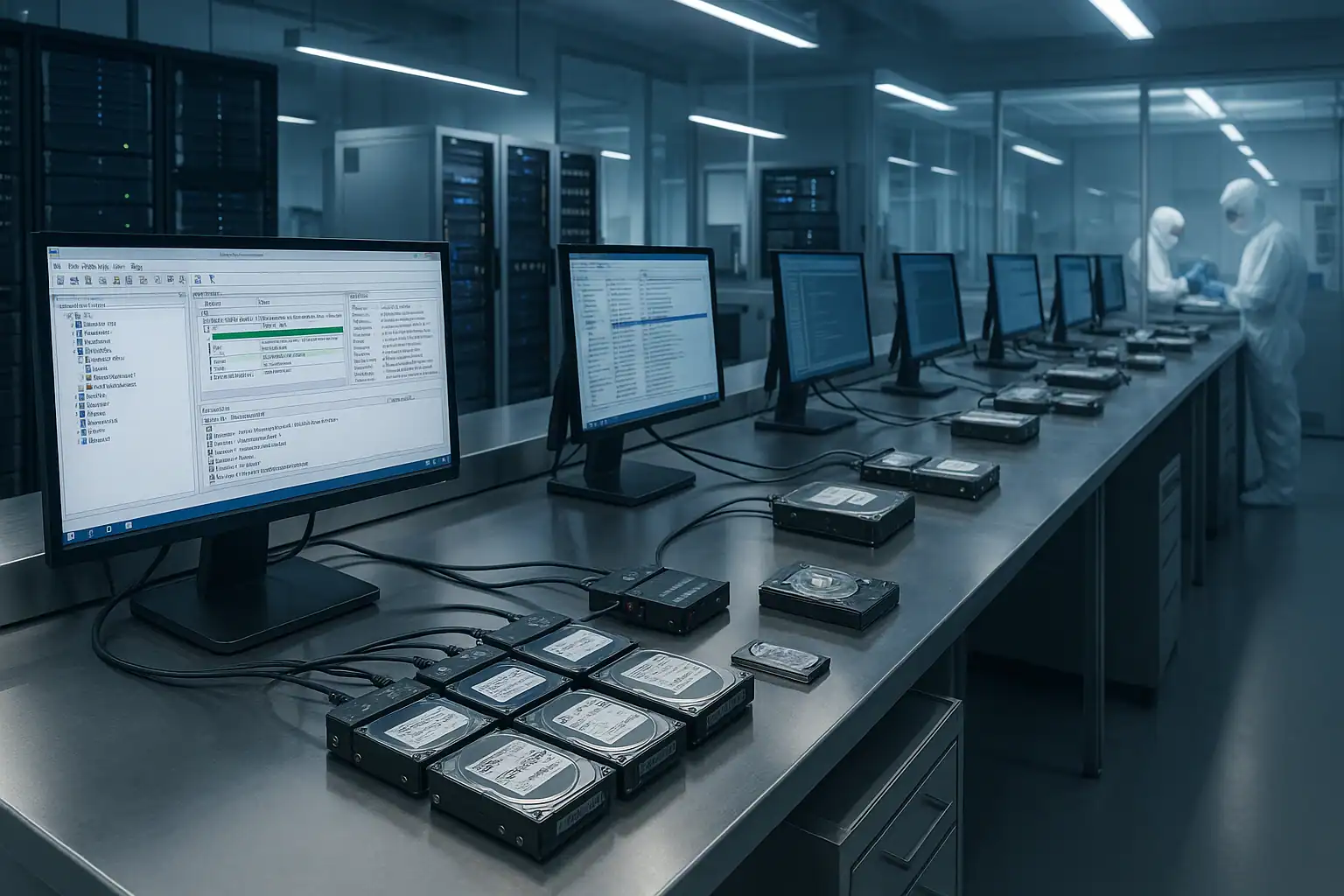
Once each drive in the array is stable enough to read, we connect it through a hardware write-blocker and capture a bit-for-bit forensic image. This applies to every drive in the array, not just the ones that failed — because RAID reconstruction requires reading all the surviving members to recover the original data.
The original drives are never written to. Every step that follows happens against the images, not the original media. This is the same chain-of-custody discipline we use for digital forensics work, and it’s critical for server recovery: if any reconstruction attempt makes things worse, we roll back to the baseline images and try a different approach. Your data is never put in jeopardy by the recovery process itself.
Step 4: RAID reconstruction with Hombre
This is the step that distinguishes professional server recovery from a commercial RAID rebuild. Our proprietary tool, Hombre, performs the work of a RAID controller in software — but with capabilities no commercial controller offers.
Hombre analyzes the metadata on each drive image, identifies the stripe size, parity rotation, drive order, and offset of the original array, and reconstructs the logical volume even when:
- The original RAID controller is dead or unavailable
- The drives were extracted in the wrong order and you no longer know the original arrangement
- One or more drives are partially unreadable, leaving “holes” in the array
- Multiple drives have stale (out-of-sync) data from being out of the array during failures
- The array configuration was never properly documented in the first place
When a small percentage of sectors are missing from one or more drives, Hombre uses parity from other drives to recompute the missing data wherever possible. When parity isn’t available, those specific blocks are marked as gaps but the rest of the array continues to reconstruct successfully.
Step 5: File system extraction
Even after the array is reconstructed, the file system on top of it often won’t mount as a working volume — corrupted metadata, damaged journal, missing critical structures. This is where most in-house recovery attempts stop, and where Hombre keeps going. It parses NTFS, ext4, XFS, VMFS, ZFS, and other file systems directly without ever trying to mount them, building a forensic database of every file the volume contained: name, location, size, timestamps, and content.
From that database we can extract individual files, individual virtual machine images, individual database tables, individual mailboxes — even when the parent file system is completely unbootable. This is why we can typically recover the vast majority of a customer’s data from server failures that no commercial RAID utility could touch.
Remote Server Data Recovery
Most server recoveries involve shipping the drives or the server itself to our Madison, Wisconsin facility — that’s the most reliable workflow and gives us full access to our cleanroom and forensic tooling.
However, some situations make shipping impractical: regulated data that can’t leave the customer’s premises, multi-rack systems too large to ship, locations where downtime is so critical that the recovery has to happen on-site, or international customers where customs delays would exceed any reasonable timeline.
In those cases, we can sometimes perform remote data recovery — either by sending an engineer to your site or by working through secure remote tooling on the server itself. This isn’t possible for every case (mechanical drive failures generally require the cleanroom), but it’s an option worth discussing during your free consultation if shipping isn’t feasible.
Emergency / Expedited Server Recovery
For time-critical server failures, we offer expedited service. Our emergency tier prioritizes your case in our engineering queue, dedicates engineers specifically to your recovery, and provides escalated communication and status updates throughout the process.
Emergency service is most commonly engaged when production systems are down and the business is losing significant revenue per hour, when regulated compliance deadlines are at risk, or when a backup window is closing and the failed server needs to be back online before the next critical operation.
If your situation is time-critical, mention it during your initial consultation and we’ll discuss how to structure the engagement to match your urgency.
What to Do Right Now If Your Server Is Down
The single most important decision you’ll make in a server failure is what you do before calling for help. The wrong actions in the first hour can turn a routine recovery into a difficult one — or an impossible one.
Stop rebuilding the array. If your RAID controller is offering to rebuild, and you’re not 100% certain it will succeed, decline. A failed rebuild on a degraded array can overwrite the data you’re trying to recover. If a rebuild has already started and is failing, stop it as soon as possible.
Don’t replace drives or change drive order. The original physical arrangement of drives in the array carries information needed for recovery. Mark which drive came from which slot before removing anything. Don’t insert spare drives in the hope that the controller will figure it out.
Don’t run file system repair tools. Tools like chkdsk, fsck, or vendor-supplied “repair” utilities can permanently alter the metadata that recovery depends on. If the volume won’t mount, the right answer is almost never to try to repair it in place.
Don’t accept any “foreign configuration” prompts without thinking. If a RAID controller is asking whether to import or clear a foreign configuration, the wrong answer can destroy the array. When in doubt, leave the system at the prompt and call us.
If drives are making unusual sounds — clicking, beeping, grinding — power them off and leave them off. Mechanical failures get worse with every minute of runtime. A drive that’s still partially functional is far more recoverable than one that’s been run until it fully seizes.
Document everything you know. Server make and model, RAID configuration, what failed and when, what’s been attempted, what data is most critical. This information speeds up the consultation and the recovery itself.
How Server Recovery Pricing Works
Server recovery pricing is different from consumer hard drive recovery. The work scales dramatically with the size of the array, the number of failed drives, the complexity of the storage architecture, and the amount of data to be transferred at the end. A small RAID 5 failure is a very different job from a 24-drive Dell PowerEdge with multiple failures, a damaged Veeam backup repository, and 80TB of usable data.
Every server recovery engagement starts with a free consultation with our server team. We use that conversation to understand your specific scenario, scope the work, and provide a clear price quote before any recovery work begins. The consultation itself is never billed.
For larger enterprise jobs, we quote based on projected engineering hours, machine hours, and data transfer time. You’ll know what the work costs before approving it. We’re honest during the consultation about cases that won’t be feasible — and we don’t bill for work that can’t succeed.
Whatever the engagement structure ends up looking like, you’ll know what you’re committing to before we begin.
Frequently Asked Questions
Can my server come to you, or do you come to it?
Both are possible. Most server recoveries are easier and faster if the drives (or the entire server) come to our Madison facility. For situations where shipping isn’t feasible — regulated data, multi-rack systems, international locations, or extreme time pressure — we can sometimes perform remote recovery. We’ll discuss which path fits your situation during your consultation.
What’s the typical turnaround for a server recovery?
It depends entirely on the scope. A small RAID 5 recovery with all drives in stable condition can complete in days. A complex multi-drive failure on a large enterprise array with mechanical issues and tens of terabytes of data can take weeks. Our expedited service tier compresses these timelines significantly for time-critical cases. The consultation will give you a realistic estimate.
Can you recover from a server where someone already attempted to rebuild?
Often yes, but it depends what was attempted and how far it got. A rebuild that ran for a few minutes before failing is usually still recoverable. A rebuild that ran to completion against the wrong configuration can be devastating — but even then, the underlying drive contents may still hold recoverable data depending on which sectors were overwritten. The honest answer is “tell us what happened and we’ll tell you what’s possible.”
Do you handle ransomware-encrypted servers?
Yes, with realistic expectations. Modern ransomware uses strong encryption that we cannot break without the attacker’s keys. What we can do is help recover from damaged backup servers, locate intact shadow copies the malware missed, recover data from older snapshots that may not have been touched, and perform forensic analysis of the attack scope. See our ransomware data recovery page for detail.
What if multiple drives in my RAID 5 have failed?
This is one of the most common scenarios we work on. RAID 5 only tolerates one drive failure — when two fail, the array goes offline, but that doesn’t mean the data is lost. We image every drive (including the failed ones, after temporary repairs), then reconstruct the array using Hombre. Even when one drive is too damaged to image completely, we can often reconstruct missing data using parity from the other drives.
What about virtual environments — VMware, Hyper-V, ESXi?
Virtual environments are a Gillware specialty. We routinely recover VMFS volumes from failed datastores, individual VMDK files, Hyper-V VHD/VHDX disks, deleted virtual machines, and broken snapshot chains. See our VMware, ESXi, and Hyper-V recovery pages for specifics.
Do you work with MSPs and IT consultants?
Yes. A significant portion of our server cases come through MSPs, IT consultants, and reseller partners. We’re comfortable working as a white-label recovery service behind your customer relationship, providing technical detail and recovery results that you communicate to your end client. Just mention this during your consultation.
What brands and models do you support?
Effectively any server brand. We have extensive experience with Dell (PowerEdge, EqualLogic, PowerVault, Compellent), HP/HPE (ProLiant, MSA, StoreOnce, 3PAR), Synology (RackStation, SA series), QNAP (TS and TVS series), Supermicro, IBM/Lenovo (Storwize, System x), Cisco UCS, and custom whitebox systems. Drive brands across all of these — Seagate, Western Digital, HGST, Toshiba, Samsung, Micron, Intel — are all routine.
Start Your Free Server Recovery Consultation
If your server is down, every hour matters. Get a free consultation with our server team — we’ll walk through your specific situation, tell you what’s possible, and give you a clear path forward. There’s no charge for the consultation itself, and we’ll be honest about cases that won’t be feasible.
Free consultation · Clear upfront pricing · ISO 5 cleanroom recovery
Or call 1-877-624-7206 to speak with our server team directly