
SanDisk Extreme Portable SSD Data Recovery: The “No Media” Failure and What We Do About It

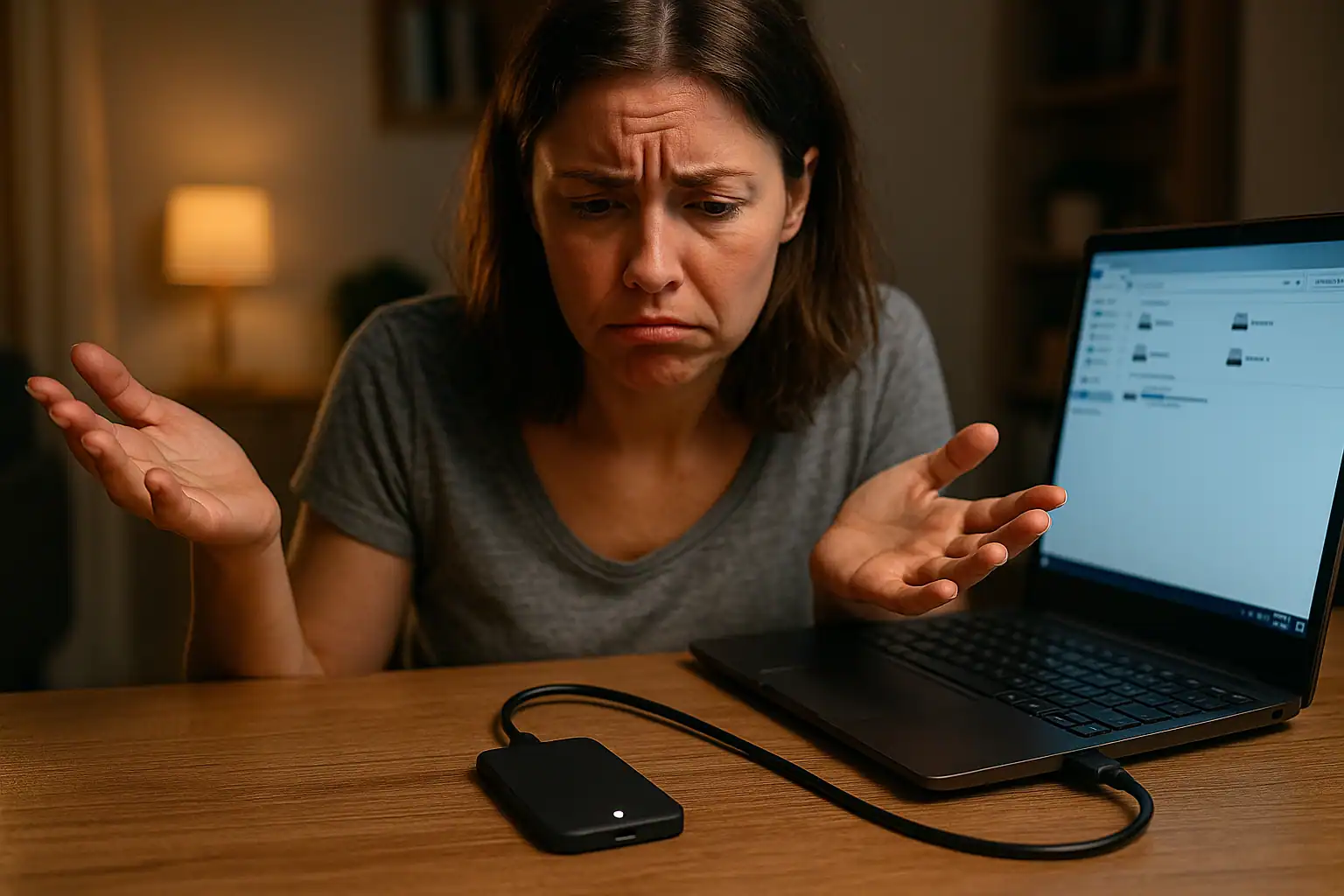
If you’re holding a SanDisk Extreme Portable SSD — or a SanDisk Extreme Pro — and it’s no longer being recognized by your computer, you’re in a much more common situation than you might think. These drives have been a workhorse for photographers, videographers, podcasters, and creative professionals for years, in large part because of their small size, ruggedness, and high transfer speeds. They’ve also developed a well-documented pattern of failure that brings them into data recovery labs in large numbers. Engineers in our lab see SanDisk Extreme Portables every week — particularly in the 500GB to 2TB capacity range — and the recovery success rate on this specific failure mode is one of the highest we see across any storage class.
This article covers what’s actually happening when these drives fail, which models we see most often, the canonical “No Media” symptom that brings most of them to us, what to do (and not do) once the drive stops responding, and what data recovery realistically looks like for these specific drives. The good news, before we go any further: in the great majority of cases involving the 500GB–2TB SanDisk Extreme Portable line that come into our lab, we successfully recover the data.
The most common symptom: “No Media” in Disk Management
The canonical failure presentation for these drives goes like this. The drive was working fine. At some point — often during a transfer, sometimes after an OS update, sometimes overnight while idle — it stopped responding. Plugging it back in produces one of three results:
- The drive’s status LED still lights up, but the operating system never mounts it. File Explorer (on Windows) or Finder (on macOS) shows nothing.
- The drive appears in Windows Disk Management but is listed with no capacity and the status “No Media.” A normal drive shows its model name, capacity, and file system. A drive showing “No Media” has been recognized as a USB device but isn’t reporting any storage at all.
- The drive shows up in macOS but with the wrong name, zero capacity, or “Disk is not readable by this computer,” sometimes with a prompt to initialize.
The “No Media” condition is the most telling of the three. It means the drive’s USB interface is alive enough to enumerate (the controller can identify itself to the host), but the NAND storage behind that interface isn’t being exposed. Almost universally, this points to a failure on the drive’s internal printed circuit board — specifically the components responsible for managing power to the NAND flash and the controller. (For the more general category of “No Media” failures across any external drive, see our guide on external hard drive says No Media in Disk Management.)
Which models we see fail (the 500GB–2TB sweet spot)
The SanDisk Extreme Portable lineup uses two main model prefixes, and within each prefix the capacity is encoded in the part number. Across the cases we see, the 500GB through 2TB capacities make up the majority. The specific models we routinely recover from include:
SanDisk Extreme Portable SSD (V2, USB 3.2 Gen 2, up to 1050 MB/s):
- SDSSDE61-500G-G25 (500GB)
- SDSSDE61-1T00-G25 (1TB)
- SDSSDE61-2T00-G25 (2TB)
- SDSSDE61-4T00-G25 (4TB)
SanDisk Extreme Pro Portable SSD (V2, USB 3.2 Gen 2×2, up to 2000 MB/s):
- SDSSDE81-1T00-G25 (1TB)
- SDSSDE81-2T00-G25 (2TB)
- SDSSDE81-4T00-G25 (4TB)
Color variants of each part number — G25 for black, G25B for Sky Blue, G25M for Monterey — are mechanically identical. The failure modes do not depend on color.
The original first-generation Extreme Portable drives (released around 2018, before the V2 redesign in 2020) used different model numbers and a different internal layout. The drives we see fail with the “No Media” symptom are overwhelmingly the V2 generation, which is the one that shipped from 2020 onward and is still being sold today (with firmware updates and minor revisions).
Why these drives fail
The technical reasons behind the failure pattern are well-documented in tech industry coverage and across the data recovery community. There are two distinct failure mechanisms that show up most often:
Power Management IC (PMIC) failure. The PMIC is a small chip on the drive’s PCB that regulates voltage and current to the controller and the NAND flash. The Extreme Portable’s PCB design places relatively large surface-mount components — including the PMIC and several large capacitors — on a small board, in a configuration that turned out to be vulnerable to mechanical stress. Stress from being moved around, from dropping, or even from thermal cycling during heavy use can cause the solder joints on these components to fracture. Once a PMIC loses electrical contact, the controller and NAND lose their power rails, and the drive presents to the host as a USB device with no media.
This is the failure mode our lab sees most often, and it’s the one that produces the canonical “No Media” symptom.
Firmware-level failures. Separately from the hardware issue, the Extreme and Extreme Pro V2 drives experienced firmware bugs that in some cases led to data being silently corrupted or to the drive becoming unresponsive. Western Digital, SanDisk’s parent company, released a firmware update in 2023 specifically addressing the 4TB models, but reports of similar issues on 2TB drives continued, and multiple class action lawsuits were filed in late 2023.
The combination of these two issues — a PCB design that doesn’t tolerate stress as well as it should, plus firmware problems that compounded the situation — is why these drives show up in data recovery labs in unusually large numbers compared to other portable SSDs.
Other failure modes we see
While “No Media” is the most common presentation, we also see:
- Drive not detected at all. The drive doesn’t show up in Disk Management, doesn’t appear in BIOS as a USB device, and the LED may or may not light up. Usually a more advanced version of the same PMIC failure — the controller can no longer enumerate at all.
- Drive shows correct capacity but won’t mount. The controller is alive and reporting the right size, but the file system layer is unreadable. Often indicates partial corruption from a firmware event rather than a pure hardware failure.
- macOS “Disk is not readable by this computer.” Frequently combined with the drive’s name reverting to a generic factory default. Points to corruption of the partition or volume metadata.
- Drive worked, then was unplugged, then never worked again. Sometimes a power surge through the USB-C connector, sometimes a connector pin issue, sometimes the moment a marginal solder joint finally let go.
- Intermittent recognition. The drive shows up for a few seconds, then disappears, then comes back. This is the worst version to live with — and the most important time to stop using the drive before the marginal condition becomes a permanent failure.
What success rates look like on these drives
Recovery outcomes on the SanDisk Extreme Portable line — specifically the 500GB to 2TB capacities — are among the highest of any storage device class we work on. In the typical “No Media” scenario where the drive’s PMIC has failed but the NAND chips themselves are intact (which is the great majority of cases), recovery is a matter of restoring the drive’s power management circuitry through board-level microsoldering work, after which the controller can be brought up and the data read in place.
The 4TB capacity is a separate conversation. The 4TB models had more aggressive use patterns, more thermal stress, and the headline firmware issues hit them hardest. We can recover data from 4TB Extremes too, but the success rate and complexity are different from the 500GB–2TB cases. This article is focused on the 500GB to 2TB range where our outcomes are the strongest.
What not to do if your SanDisk Extreme isn’t working
A few things to avoid that can convert a recoverable situation into an unrecoverable one:
- Don’t keep plugging it back in repeatedly. Each connection attempt sends current through a board that may have marginal solder joints, partially failed components, or a controller that’s struggling to come up. Every cycle is risk.
- Don’t initialize, format, or “repair” the drive. If your OS prompts you to initialize the disk before using it, decline. If macOS Disk Utility’s First Aid offers to repair, don’t run it. Both are write operations that, in the rare case the drive does briefly come back online, can overwrite the very metadata that recovery depends on.
- Don’t run a firmware update on a drive that’s failing. SanDisk released firmware updates for the affected drives, but applying a firmware update to a drive that’s already showing signs of failure can finish off marginal components in ways that make recovery harder. Firmware updates are appropriate for healthy drives as a preventative measure, not as a fix for a drive that’s already failing.
- Don’t open the enclosure and start reseating things. The Extreme Portable’s outer shell is held together in a way that’s hostile to non-destructive opening, and the internal PCB doesn’t have user-serviceable connectors. Attempting DIY teardown often damages the connector between the PCB and the USB-C port, which adds a layer of difficulty to the recovery.
- Don’t run “data recovery software” on a drive showing No Media. Software-based tools require the drive to be readable at the block level. A drive showing No Media isn’t presenting blocks at all — there’s nothing for the software to read. Running recovery software on a drive in this state doesn’t help, and rare side effects (some tools will attempt writes to “rebuild” partition tables) can hurt.
Our recovery process for these drives
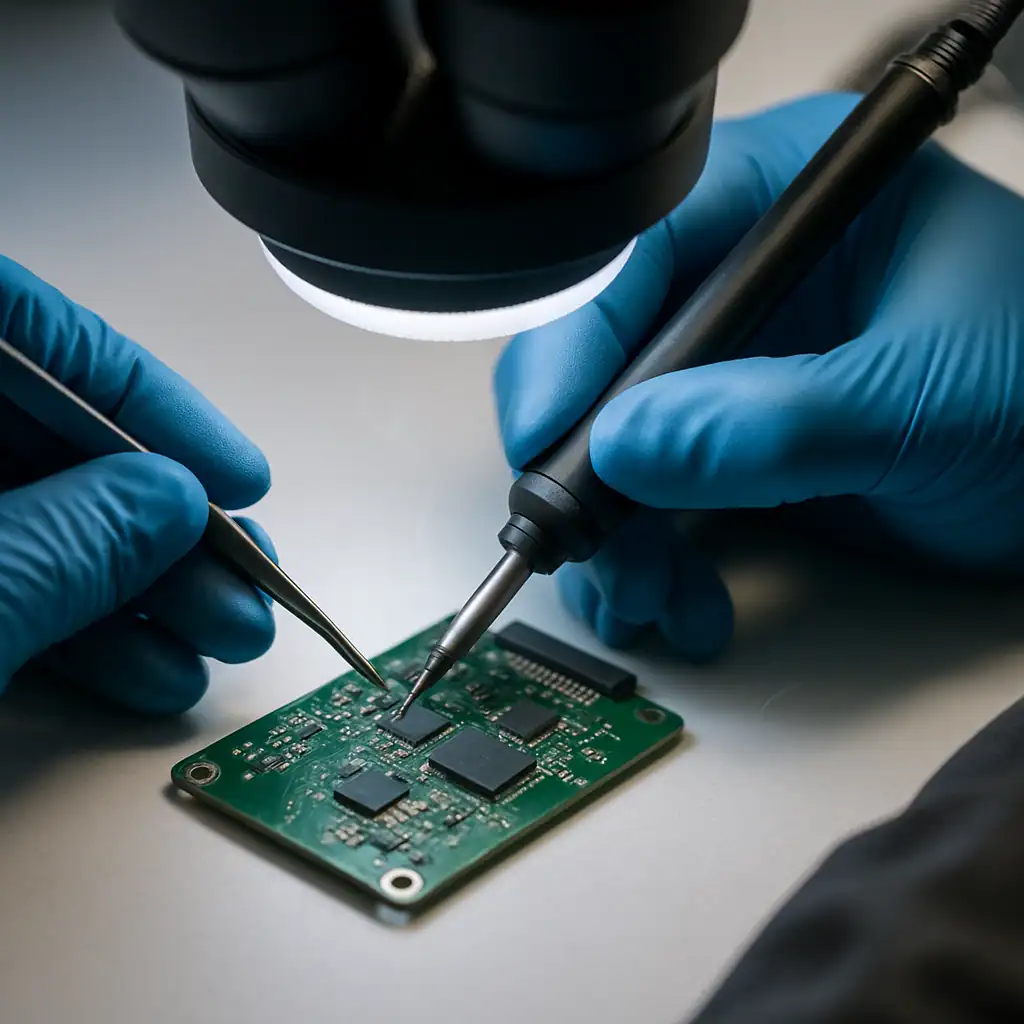
For SanDisk Extreme Portable SSDs, the recovery workflow looks like this. The drive arrives at the lab, we open it in a controlled environment, and the PCB is inspected under a stereo microscope. The most common findings are visible solder joint fractures on the PMIC, on the larger surface-mount capacitors near the controller, or on the USB-C port itself.
Component-level repair is performed using microsoldering equipment. Damaged PMICs are replaced with donor components from drives we keep specifically for this purpose. Once the power circuitry is restored, the drive is connected to a host system via a controlled interface and the data is read off through the original controller — which is what allows the hardware encryption built into the drive to be transparently decrypted during the read. The data is offloaded to a separate destination drive, never written back to the original SanDisk.
The original drive is returned along with the recovered data on the destination drive of your choice (a new portable SSD, a USB drive, etc.). The original SanDisk Extreme Portable isn’t repaired to ongoing use — once a PCB has failed this way, it’s not a drive we’d recommend trusting with future data — but the contents come back intact in the vast majority of cases.
A note on cost
Recovery work on a SanDisk Extreme Portable SSD is meaningful microsoldering work, performed by trained engineers using specialized equipment and donor parts. It is not the same kind of recovery as pulling a drive out of an enclosure and imaging it — there’s real engineering time involved per case, and the cost reflects that. Pricing varies based on the severity of the damage and the specific components that need replacement, but customers should expect a typical recovery in this category to land in the several-hundred to low-thousands range.
What we can promise is the standard Gillware engagement model: the evaluation is free, you get a flat-rate quote in writing before any repair starts, and you only pay if we successfully recover your data. If the quote doesn’t make sense for the specific value of the data on the drive, you can decline and have the drive shipped back at no charge. There’s no diagnostic fee and no obligation to proceed.
Frequently asked questions
Is my SanDisk Extreme Portable SSD covered under warranty?
SanDisk’s standard warranty for the Extreme Portable line is typically three years, and a drive that’s failed within the warranty period is generally eligible for replacement through SanDisk’s warranty process. However, warranty replacement does not include data recovery — SanDisk will replace the drive, but the original drive (with your data on it) is either destroyed or returned to you empty. If the data on the drive matters, get the data recovered first, then process the warranty claim afterward. Otherwise the data goes with the replaced drive.
Why doesn’t a firmware update fix the No Media problem?
Firmware updates are software changes pushed to a drive that’s already alive enough to receive them. When a SanDisk Extreme Portable is showing “No Media,” the underlying hardware (the power management circuitry on the PCB) has failed, and the drive can’t load firmware at all. There’s nothing for the firmware updater to communicate with. The drive needs the hardware fault repaired before any firmware-level interaction is possible — and at that point, the goal is usually to pull the data off rather than continue using the drive.
Can I just buy a USB enclosure and put the SSD inside?
No. The Extreme Portable’s internal storage isn’t a separate SSD inside an enclosure the way some portable drives are designed — it’s a custom PCB where the controller, NAND chips, and USB interface are all permanent fixtures of one board. There’s no standard SSD inside to remove. Recovery requires repairing the original board, not transferring the storage to a different enclosure.
How do I know if my drive is in the failing batch?
Practically speaking, any V2-generation SanDisk Extreme Portable or Extreme Pro Portable in the SDSSDE61 or SDSSDE81 model families is at some risk of the failure modes described here. The specific 4TB models (SDSSDE61-4T00 and SDSSDE81-4T00) were officially acknowledged by Western Digital in 2023, but failures on 500GB, 1TB, and 2TB drives have been reported widely as well. If your drive is in this lineup and is showing signs of trouble, treat it as needing immediate attention rather than waiting to see what happens.
Should I keep using my Extreme Portable if it still works?
That’s a personal-risk question. The drives that have failed in our lab show the failure pattern across the full age range — drives that have been in service for years and drives that have been in service for months. If the data on the drive is anything you would be upset to lose, make sure you have a current backup elsewhere (a separate drive, cloud storage, or both), and consider whether you want to keep the drive in regular service or rotate it out for something else.
Is the data on my drive encrypted?
The SanDisk Extreme Portable line uses hardware encryption on the drive’s controller, with hardware AES applied transparently to all data. If you haven’t set a password through the SanDisk SecureAccess software, the encryption is still happening — the controller just manages the keys for you. This matters for recovery because it means the path to your data requires the original controller to be functional. Recovery on these drives is fundamentally board-level work, not chip-off NAND reading, because the NAND chips themselves contain ciphertext that only the original controller can decrypt.
My drive is mounting but files are missing or showing as 0 bytes. Is that the same problem?
Different problem, often related cause. When the firmware-level issues hit on these drives, files can appear in the directory listing but show as 0 bytes or be unreadable. This is logical corruption rather than the hardware “No Media” failure, and the recovery approach is different — usually involving direct controller communication and parsing the file system at a lower level. Both categories are recoverable; the workflow just differs.
The bottom line
The SanDisk Extreme Portable SSD line has a well-known failure pattern that produces a very specific symptom — “No Media” in Disk Management or a drive that won’t mount — and a very specific underlying cause: power management circuitry on the drive’s PCB that doesn’t tolerate stress as well as it should. The good news is that this category of failure is recoverable in the vast majority of cases through board-level microsoldering work, and our success rate on the 500GB to 2TB capacities is among the highest we see across any device class.
If your SanDisk Extreme Portable or Extreme Pro Portable has stopped responding and the data on it matters — work files, project archives, photography or video, anything that isn’t backed up elsewhere — the safest move is to stop trying to make it work and have it evaluated. Continuing to plug a failing drive in repeatedly is one of the few ways to take a recoverable case and make it harder.
