
HPE ProLiant ML350 Gen9 Data Recovery Services
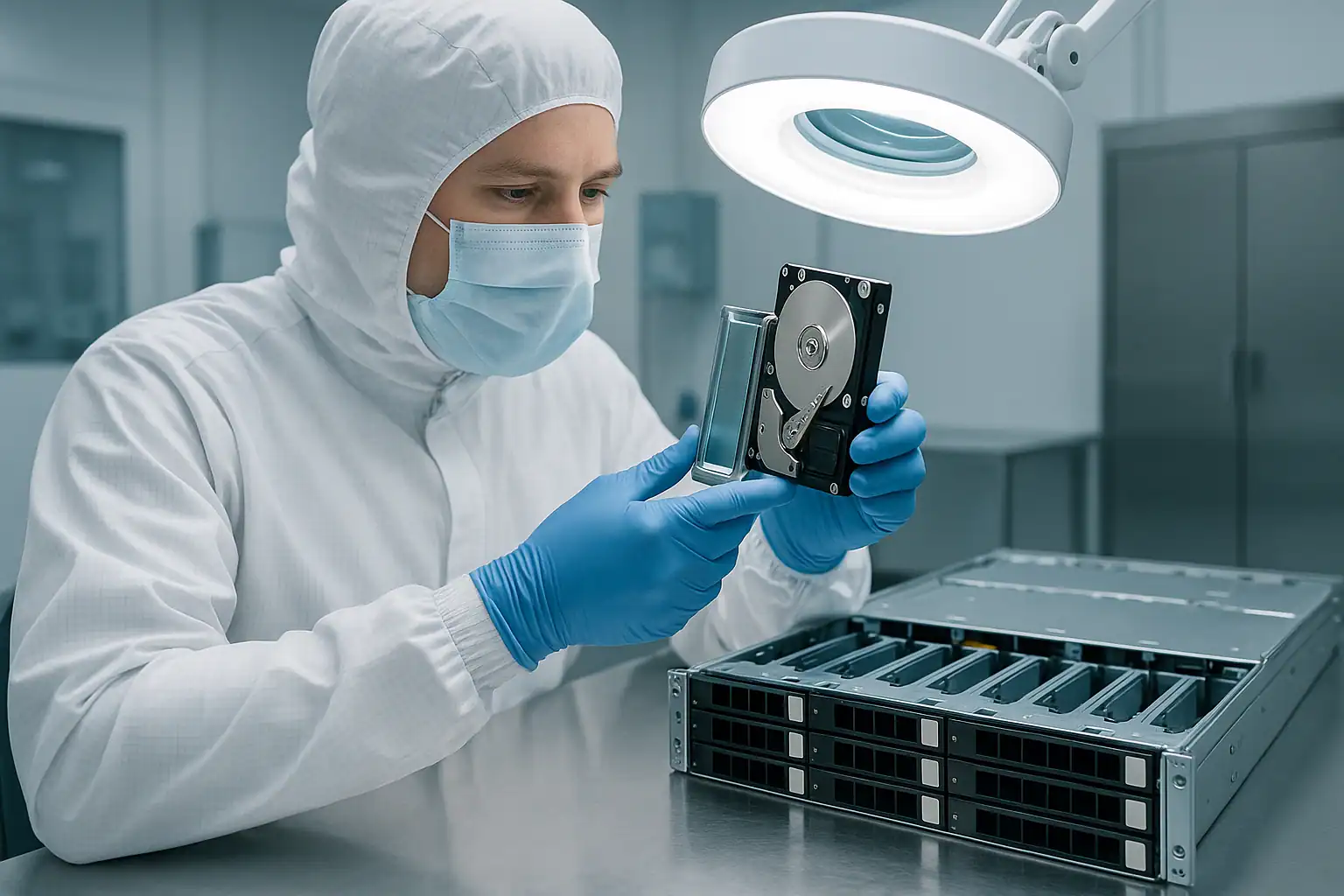
The HPE ProLiant ML350 Gen9 is the tower workhorse of small and mid-sized business IT. Sitting in office closets, dental practices, accounting firms, law offices, manufacturing back rooms, and the IT corner of countless small businesses, the ML350 Gen9 quietly handles file serving, Exchange, Active Directory, small Hyper-V virtualization, QuickBooks, and the mix of workloads that keeps a small organization running. Production ran from 2014 through 2017, which puts the active ML350 Gen9 population at 8-12 years old — deep in the failure window for the drives, FBWC supercapacitors, fans, and backplane components that wear out over time.
The ML350 Gen9 shares the same Smart Array controllers and iLO 4 management as its rack-mount sibling the DL380 Gen9, but it has a very different deployment story. Tower servers live in worse environments than rack servers — dustier offices instead of filtered data centers, ambient HVAC instead of cooled racks, single power feeds instead of redundant data center power. They’re also often the only server an organization has, which makes the criticality per system much higher when they fail. This page covers what we see in ML350 Gen9 cases and what to do if yours is down.
ML350 Gen9-Specific Failure Patterns
Smart Array P440ar FBWC supercapacitor degradation
The ML350 Gen9 most commonly shipped with the HPE Smart Array P440ar embedded RAID controller paired with a 2GB or 4GB Flash-Backed Write Cache (FBWC) module. The supercapacitor that backs up the cache through power events degrades with age and thermal cycling. After 7-10 years, iLO 4 reports any of:
- “Cache Module Status: Permanent Error”
- “Battery/Capacitor Status: Recharging” (stuck in this state)
- “Cache module is not enabled”
- “Write cache is currently disabled”
The controller falls back to Write-Through cache mode to protect data, but performance drops noticeably — often the first symptom a small business owner notices is “the server got slow” with no obvious cause. Any power event during this state can result in unflushed cache data being lost. By 2026, this affects nearly every ML350 Gen9 still in production.
Thermal and dust-related drive failures
The ML350 Gen9 sits in environments rack servers don’t: under desks, on the floor of office closets, in unfinished basement IT corners, next to printer toner that sheds dust everywhere. The chassis intake fans pull office air directly into the drive bays. After several years, the fan filters (if present) clog, internal airflow drops, drive operating temperatures climb, and the failure curve accelerates. We see ML350 Gen9 servers come in with all four chassis fans dust-loaded to the point of significant airflow restriction — and the drives show the cumulative effect.
The classic signature: multiple drives developing predictive failure warnings within weeks of each other, followed by a primary drive failure, followed by the rebuild failing because surviving drives weren’t actually healthy — they were the same age, in the same thermal environment, with the same accumulated wear.
Power events without UPS protection
Small business ML350 Gen9 deployments often lack proper UPS coverage — either no UPS at all, an undersized consumer UPS, or a business UPS whose battery died years ago and was never replaced. The result: brownouts, surges, and outright power loss events hit the server directly. When this happens to a system with a degraded FBWC supercapacitor (see above), in-flight writes are lost. When it happens during a rebuild, the rebuild can fail catastrophically. When it happens repeatedly over years, drives accumulate unclean-shutdown stress.
P440ar firmware-related rebuild issues
The P440ar firmware went through multiple revisions during the ML350 Gen9’s active production. Certain revisions had documented issues around rebuild handling, ADG (Advanced Data Guarding — HP’s RAID 6) reconstruction, and configuration-detected prompts. A common scenario: an array operating normally for years suddenly has issues after a Service Pack for ProLiant (SPP) firmware update — logical drives not appearing correctly, rebuilds initiating but not completing, or unexpected “Configuration Detected on Drives” prompts. Small businesses are particularly vulnerable here because firmware updates are often performed by a contractor or MSP who doesn’t have a rollback plan.
Lost iLO credentials
ML350 Gen9 servers often outlive the IT staff or contractor who originally configured them. When something goes wrong years later, the current administrator frequently can’t log in to iLO 4 because the credentials were never documented, the original contractor is unreachable, or the federated AD account stopped working when the directory was restructured. This blocks AHS log download, blocks remote console access, and blocks visibility into the storage subsystem during a crisis. iLO 4 password reset requires physical access and the System Maintenance Switch on the system board.
Single-drive failures escalating to total array loss
Small business ML350 Gen9 deployments often don’t have active monitoring. Predictive failure alerts (LED amber blink) fire for weeks or months and nobody notices. Then a drive fails outright, the array goes degraded, somebody finally calls IT, and during the rebuild a second drive fails because it had been predictive-failing for months. We see this pattern repeatedly — the root cause is usually the monitoring gap, not the drives themselves.
Chassis variant identification
The ML350 Gen9 ships in multiple internal drive configurations: 4 LFF, 8 LFF, 8 SFF, 16 SFF, and 24 SFF depending on the cage kit installed. Customers often don’t know which configuration they have, especially when the original purchaser is no longer at the organization. The recovery process is the same, but knowing the configuration upfront speeds case scoping. We can usually determine it from a photograph of the open chassis.
Critical ML350 Gen9 Error Conditions
Smart Array P440ar / P840 POST and iLO Error Messages
| Error / POST Code | What it means | Data loss risk |
|---|---|---|
| 1787 — Drive Array Operating in Interim Recovery Mode | One drive in the array failed; redundancy is gone | Moderate — high if second drive fails before rebuild |
| 1785 — Drive Array Not Configured | Controller cannot find array configuration metadata | Critical — do not initialize |
| 1786 — Drive Array Recovery Needed | Array degraded, rebuild required | Moderate to High depending on drive health |
| 1779 — Physical Drives Have Been Removed | Drives lost connection to controller (may be backplane or cabling, not actual removal) | Moderate — investigate before re-seating |
| 1792 — Slot X Reports a Data Recovery Error | Rebuild failed due to unreadable sectors on surviving drives | Critical — data in affected stripes at risk |
| Configuration Detected on Drives | Controller found RAID metadata not matching current config — common after controller swap, drive migration, firmware update | Critical — wrong choice is irreversible |
| 1794 — Drive Array Initialization Failure | Controller cannot initialize the array | Critical |
| 1719 — A controller failure event occurred | Smart Array controller experienced an internal error | Moderate to High |
| Cache Module Status: Permanent Error | FBWC supercapacitor cannot reliably back up write cache | Moderate — data loss risk during power events |
| Fan failure / fan zone alert | One or more chassis fans failed; thermal protection may throttle or shut down | Low directly, High indirectly — drives at elevated temperature |
ML350 Gen9 Smart Carrier Drive LED Patterns
| LED Pattern | Meaning |
|---|---|
| Steady green | Drive online and active |
| Slow flashing green (1 Hz) | Drive activity, or rebuild in progress — do not remove |
| Off | Drive ready for removal OR not detected by controller |
| Steady amber | Drive has failed |
| Slow flashing amber | Predictive failure (SMART) — back up before replacing |
| Alternating amber and green | Drive identify / locator activated, or controller-managed action in progress |
| Steady blue | Drive selected by management interface for identification |
iLO 4 Integrated Management Log (IML) Events to Watch
| Event source | Meaning |
|---|---|
| Smart Array Controller — Logical Drive Status Change | Logical drive transitioned to Degraded, Failed, or Rebuilding |
| Smart Array Controller — Physical Drive Status Change | Drive transitioned to Failed, Predictive Failure, or Removed state |
| Smart Array Controller — Cache Module Status | FBWC module state change, supercap degradation, or cache disabled |
| Smart Array Controller — Surface Analysis Error | Bad block detected during background surface scan |
| Smart Array Controller — Rebuild Failed | Rebuild attempt aborted due to errors on surviving drives |
| System Environment — Fan Failure / Removed | Chassis fan failed or removed — thermal risk to drives |
| System Environment — Temperature Threshold Exceeded | Internal temperature climbed past safe operating range |
| POST Error 1779 / 1785 / 1787 / 1792 | One of the array status messages above triggered at boot |
The Active Health System (AHS) log is the single most useful diagnostic artifact for an ML350 Gen9 recovery case — it contains a detailed timeline of every storage subsystem event over the server’s history. If you can still access iLO, download the AHS log before doing anything else and provide it during the consultation.
How We Recover Failed ML350 Gen9 Servers
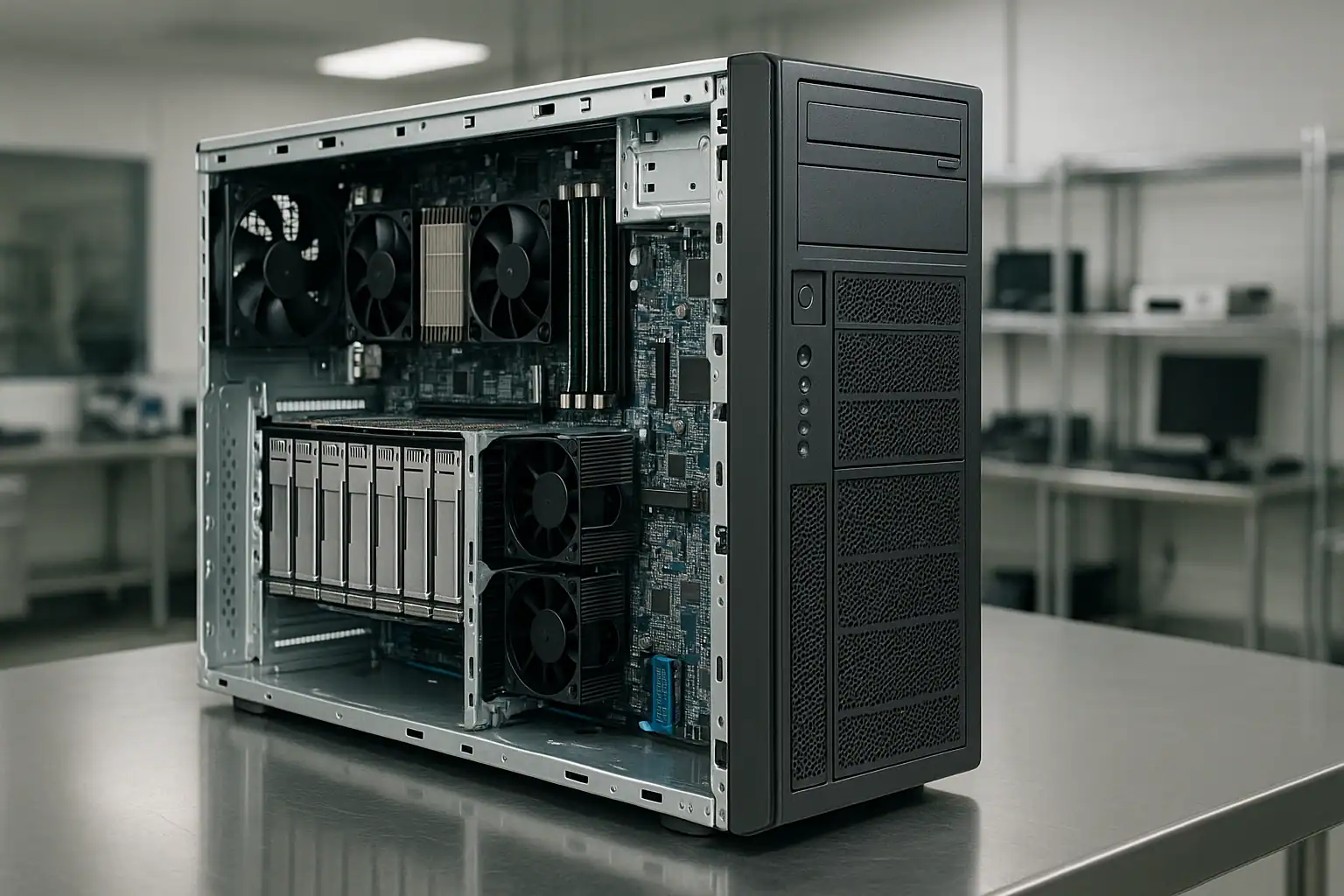
ML350 Gen9 recoveries follow our standard ProLiant recovery process: free consultation, temporary hardware repairs in our ISO 5 cleanroom, write-blocked forensic imaging of every drive, RAID reconstruction with Hombre, and file system extraction.
For ML350 Gen9 cases specifically, our work involves the Smart Array P440ar, P840, P244br, and B140i controller families, plus the external P440 PCIe card when D-series enclosures are connected. The P440ar’s metadata format and the iLO 4 AHS log give us substantial information about the array’s history that informs recovery — particularly useful when reconstructing arrays where the customer doesn’t know the original RAID configuration, stripe size, or drive order.
Because ML350 Gen9 deployments often involve drives that have been operating in suboptimal thermal environments for years, drive-level repairs are commonly needed during the recovery. Head transplants, PCB-level work, and firmware adjustments in the cleanroom are routine for the kinds of drives we see come out of these systems. The recovery’s success rate is high, but the per-case engineering time can be higher than data center deployments because the drives themselves require more work to image cleanly.
For systems that can be shipped whole (and many ML350 Gen9 deployments fit in a single shipping box), sending the entire chassis lets us pull the drives in original slot order without the customer needing to label and remove them — reducing one common source of confusion.
What to Do Right Now If Your ML350 Gen9 Is Failing
Don’t accept any “Configuration Detected on Drives” or “Clear Configuration” prompt without consultation. One wrong click here destroys the entire array irreversibly. When in doubt, leave the system at the prompt and call us.
Don’t initiate a rebuild on a degraded array without verifying every surviving drive. ML350 Gen9 arrays where one drive has failed almost always have other drives showing predictive failure or accumulating bad sectors — they’ve been in the same thermal environment for the same number of years. Check SMART status and the AHS log before attempting any rebuild.
If multiple drives are showing predictive failure or failed states, suspect a systemic issue (fans, thermal, dust, FBWC, backplane) before assuming coincidental drive failures. On ML350 Gen9 tower deployments, environmental causes are more common than rack equivalents.
Don’t update iLO, BIOS, or Smart Array firmware while in a degraded or failed state. SPP firmware updates on already-stressed ML350 Gen9 systems have caused issues. If you want to update firmware, do it before the failure — not during.
Don’t clear the FBWC cache module if it’s reporting dirty cache. Clearing discards in-flight writes that may be the difference between a clean recovery and a corrupted file system.
Don’t run filesystem repair tools. Hyper-V Live Migration, NTFS chkdsk, ReFS integrity scrub, ext4 fsck, ESXi datastore repair — all can permanently alter metadata recovery depends on.
If drives are clicking, beeping, or grinding, power off and leave them off. Mechanical drives get worse with every minute of runtime. This is especially common on ML350 Gen9 drives that have been running in dust-loaded thermal environments.
Check the fans before doing anything else. If chassis fans are dust-loaded or failed, the drives are at elevated temperature and every additional minute of runtime increases failure risk. The right response to a degraded ML350 Gen9 is sometimes to power off and ship rather than attempt in-place recovery.
Download the AHS log from iLO if you can. If iLO credentials are lost, document that fact upfront in the consultation — we can work around it but it slows the initial diagnosis.
Mark every drive’s original slot position before removing anything. The physical arrangement carries recovery-critical information. The simplest method: put small numbered stickers on each drive caddy before extraction.
ML350 Gen9 Configurations We’ve Recovered
- ML350 Gen9 4 LFF entry configuration running RAID 1 or RAID 5 — small office file servers, basic Active Directory deployments
- ML350 Gen9 8 LFF (8x 3.5″) running RAID 5 or RAID 6 (ADG) — small business file servers, video surveillance, backup repositories
- ML350 Gen9 8 SFF (8x 2.5″) running RAID 10 — database servers, Exchange mailbox servers, small SQL deployments
- ML350 Gen9 16 SFF (16x 2.5″) running RAID 5 or RAID 10 — mid-sized SMB virtualization workloads
- ML350 Gen9 24 SFF (24x 2.5″) — the densest tower configuration, common for mixed virtualization and file serving
- ML350 Gen9 connected to external HPE StoreEver LTO tape drives for backup workflows
- ML350 Gen9 connected to external D3700, D3600, or D2700 enclosures via Smart Array P440 PCIe controllers
- ML350 Gen9 running Windows Server 2012 R2 / 2016 / 2019 with NTFS or ReFS — Active Directory, file shares, Exchange 2013/2016, SQL Server
- ML350 Gen9 running Windows Small Business Server (SBS) deployments at organizations that never migrated off
- ML350 Gen9 running Hyper-V on Server 2012 R2 / 2016 / 2019 hosting small business workloads
- ML350 Gen9 running VMware ESXi 5.5, 6.0, 6.5, 6.7 with VMFS-5 or VMFS-6 datastores
- ML350 Gen9 running enterprise Linux (RHEL 6/7/8, CentOS, Ubuntu LTS) with ext4 or XFS
- ML350 Gen9 running as a Veeam backup repository or backup target for a separate production server
- ML350 Gen9 hosting QuickBooks Enterprise, Sage, and other small business accounting applications on top of file shares
Frequently Asked ML350 Gen9 Questions
My ML350 Gen9 keeps reporting “Cache Module Status: Permanent Error.” Is my data at risk?
The FBWC supercapacitor has degraded past usable life — this is age-related and affects nearly every ML350 Gen9 we see in 2026. The controller has automatically switched to Write-Through cache mode to protect data, so steady-state operations are safe. However, performance has dropped, and the system is more vulnerable to data loss during power events. Replace the FBWC module before any rebuild or extended maintenance window.
My ML350 Gen9’s fans are loud or covered in dust. Should I worry about the drives?
Yes. Tower servers operating in dust-loaded thermal environments cook their drives. If the chassis is dusty, the drives have likely been operating at elevated temperatures for years, which accelerates failure. If you’re seeing degraded array status alongside obvious dust accumulation, the right next step is often to power off and call us before attempting any rebuild — surviving drives in a hot, dusty ML350 frequently aren’t actually healthy.
I lost the iLO password. Can you still recover the data?
Yes, easily. iLO is the management interface — it’s independent of the storage subsystem. We can recover from your ML350 Gen9 without ever logging in to iLO. The drives themselves contain everything we need. (For your own future use: iLO 4 password reset requires the System Maintenance Switch on the system board, which means physical access to the server with the side panel removed.)
My Smart Array P440ar keeps failing rebuilds on my ML350 Gen9. Why?
Multiple possibilities: surviving drives have accumulated bad sectors (most common in dust-loaded tower deployments), the P440ar firmware has a bug affecting your specific rebuild scenario, the chassis is overheating, or the failed drive’s replacement has its own problems. The diagnosis matters — the wrong response makes things worse. The AHS log usually distinguishes between these scenarios.
I updated my ML350 Gen9 firmware via SPP and now the array won’t come online. Can you help?
Yes — this is a scenario we see regularly. The recovery approach is the same: forensic imaging of all drives, reconstruction in software. Firmware-related issues on the controller don’t affect the data on disk; they affect whether the controller can present that data. Don’t attempt further firmware changes — ship the drives or contact us first.
My ML350 Gen9 won’t POST — iLO doesn’t respond and the front panel shows amber. Can I still recover the data?
Yes. The data lives on the drives, not in the server. Even if the chassis is completely dead, removing the drives in their original slot order and shipping them to us lets us reconstruct the array. Mark which drive came from which physical bay before removing anything. Many ML350 Gen9 systems are small enough that we recommend shipping the entire chassis intact — it’s often easier than extracting drives, and it gives us access to the slot positions directly.
My ML350 Gen9 was hosting Exchange. Is the mailbox data recoverable?
Yes. Exchange mailbox databases (.edb files) sit on the file system like any other large files. Once we reconstruct the underlying RAID array and extract the file system contents, the Exchange databases are available to extract. Individual mailbox extraction from .edb files is also possible — mention this during the consultation if it’s your priority.
What if my ML350 Gen9 was running QuickBooks or another accounting application?
The data lives in QuickBooks company files (.qbw) or equivalent files for other applications, sitting on the file system. Once we reconstruct the array and extract the files, you can open them in QuickBooks on a different machine. We’ve recovered countless small business accounting deployments from failed ML350 Gen9 systems.
The ML350 Gen9 is the only server we have. How long will recovery take?
Most ML350 Gen9 recoveries complete in days, not weeks — the configurations are typically smaller than enterprise rack deployments and the drive counts are manageable. Our expedited service tier can compress this further if your business is fully down. The consultation will give you a realistic estimate based on your specific situation, drive count, and condition.
Start Your Free ML350 Gen9 Recovery Consultation
If your HPE ProLiant ML350 Gen9 is down, get a free consultation with our server team. We’ll walk through your specific configuration and tell you what’s possible.

Start Your Free ML350 Gen9 Consultation
Free consultation · Clear upfront pricing · ISO 5 cleanroom recovery
Or call 1-877-624-7206 to speak with our server team directly.