
Data Recovery in Philadelphia and the Main Line
Losing files rarely happens at a convenient moment. It’s the night before a thesis is due at Villanova, the morning after a wedding in Wayne, or the end of the quarter for a small firm in Center City. Gillware has been getting people’s data back for more than two decades, and our engineering lab in Madison, Wisconsin handles everything from accidentally deleted spreadsheets to drives that won’t spin.
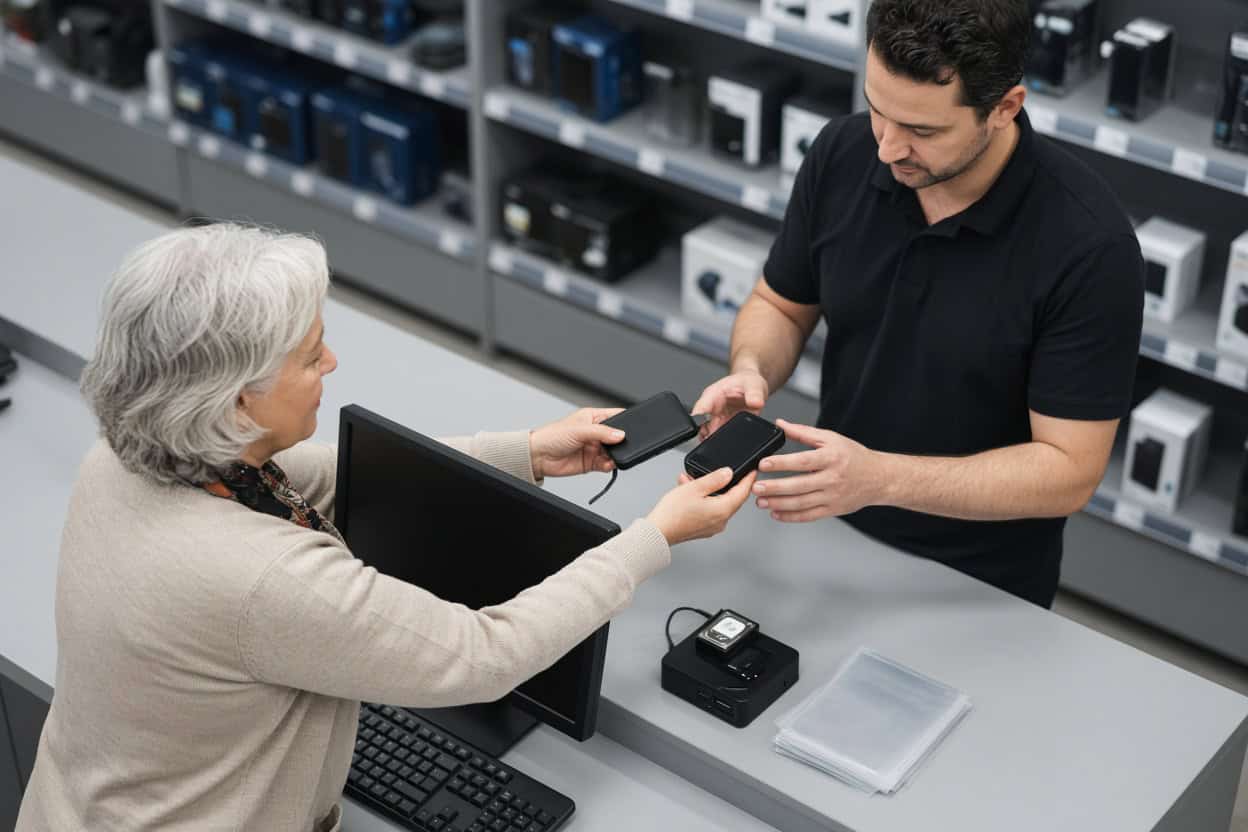
Philadelphia-area clients have a shortcut. When the device still powers on and the problem is missing, deleted or unreadable files, you can hand it to our data recovery kiosk inside Micro Center St. Davids and let experienced people take it from there.
Missing files in the Philadelphia area?
Drop the device at our kiosk in Micro Center St. Davids, or call and we’ll help you decide where it should go.
- Recovering data since 2004
- More than 1,500 IT professionals send their clients to us
- Rated 4.8 stars across 340+ Google reviews
Our Kiosk at Micro Center St. Davids
You’ll find Gillware’s data recovery kiosk at the service desk of Micro Center St. Davids on Lancaster Avenue, right on the Main Line. Walk in any time the store is open; there’s nothing to book. The service desk team checks your device in and starts the evaluation.
Micro Center Data Recovery (powered by Gillware)
550 E Lancaster Ave, Suite C, St. Davids, PA 19087
Phone: (484) 592-6515
Monday – Saturday: 10:00 am – 9:00 pm
Sunday: 11:00 am – 6:00 pm
What Our Philadelphia-Area Kiosk Recovers
The kiosk exists for logical data loss. That’s the technical term for a device that works fine mechanically but has lost track of your files, whether they were deleted, overwritten in the file index, or locked away behind a corrupted operating system. Recovery software can sometimes handle these cases, but it’s easy to make them worse at home: install the program on the wrong drive, save the recovered files back onto the same disk, or click through a “fix” prompt that rewrites what’s left. Our kiosk team does this all day and knows which steps not to take.
Photos you deleted by accident
Maybe you cleared space on a camera card before backing it up, or tidied a Pictures folder a little too aggressively. When a photo is deleted, the space it occupied is marked as available, but the image itself usually stays put until something new lands on top of it. Put the card or drive away, don’t take another picture with it, and bring it to St. Davids. Deleted photo recovery is one of the most common jobs the kiosk sees.
Lost home videos and camera footage
A school recital, a first birthday, raw footage for a client project: video files are big, and big files get split into many pieces across a disk. That makes deleted video recovery fussier than photo recovery, and a recovered clip that won’t play is no help to anyone. The kiosk recovers deleted and missing video from laptops, external drives, action cameras, drones and memory cards, then confirms the clips actually open.
Documents, spreadsheets and business files
An emptied Recycle Bin, a folder dragged to the Trash, a shared drive someone “cleaned up.” Deleted file recovery for Word documents, Excel workbooks, PDFs, QuickBooks files and other records is routine at the kiosk. Whether you need one critical contract or a whole directory of client work, the advice is the same: stop saving anything new to that drive and let us take a look.
A drive that was formatted by mistake
Formatting feels permanent, but a standard format mostly erases the map of where files live, not the files themselves. It happens more often than people admit: a new TV or game console asks to “set up” an external drive, a camera reformats a card, or the wrong disk gets selected in Disk Utility. Formatted drive recovery works best when nothing new has been written since, so unplug it and bring it in.
RAW drives and vanished partitions
Windows suddenly reports the drive as RAW. macOS says it can’t read the disk and offers to initialize it. A partition that held years of files simply isn’t listed anymore. These are file system problems, and the data underneath is usually intact. Decline every offer to format, initialize or repair, and let the kiosk rebuild access to the drive instead.
A PC or Mac that won’t start
A failed update, a corrupted boot record, a laptop that loops through the logo screen forever. When the operating system breaks, it can look like the files are gone too. They often aren’t. The worst move is a factory reset or clean reinstall before your data is safe, because that overwrites the very files you want. The kiosk pulls your files off the drive first.
Files that disappeared after an update or a move
A Windows feature update that “lost” the Desktop folder, a cloud sync that deleted local copies, a new computer that never received everything from the old one. Missing file recovery after migrations and updates is a regular request from Main Line households and offices, and the original drive often still holds everything.
Memory cards and thumb drives that act up
An SD card that suddenly shows zero files, a USB flash drive that asks to be formatted, a microSD card from a dash cam that won’t mount. If the card or drive is physically intact and still detected, it’s a good kiosk job. If it’s cracked, bent or invisible to every computer, skip ahead to the lab section below.
Do’s and Don’ts Before Your Visit
- Do stop using the device right away. Each new file is a chance to overwrite an old one.
- Don’t run free recovery tools or install anything on the affected drive.
- Don’t click “Format,” “Initialize” or “Repair disk,” no matter how helpful the prompt sounds.
- Do bring the power adapter or cable for external drives, and jot down the folders or file types you care about most.
Physical Damage Goes to Our Lab
Software can’t help a drive that is physically failing, and running one can turn a recoverable situation into a permanent loss. If any of these sound familiar, the device belongs in a cleanroom:
- Clicking, ticking, buzzing or grinding from a hard drive
- An external drive that was knocked off a desk or dropped
- Damage after a storm, surge or a mismatched power adapter
- Water, coffee or fire exposure
- An SSD or flash drive no computer can see
- A failed NAS or RAID array
Phones are lab work as well. The St. Davids kiosk doesn’t recover data from smartphones. Dead, cracked or water-damaged phones go to our engineers for board-level phone data recovery.
In Madison, our engineers work inside ISO 5 cleanroom stations, swap failed heads from a deep donor parts library, and read unstable drives with imaging tools we built in-house. The St. Davids service desk can take a first look and refer a damaged device, or you can ship it to our data recovery lab yourself. Standard single-device cases in the continental US get a free prepaid label and a free evaluation, and you pay only if we meet your recovery goals at a price that makes sense.
Kiosk or lab? Not sure?
Give us a call at 877-624-7206 and describe what happened. We’ll tell you whether to head to St. Davids or send the device to our lab.
Philadelphia Data Recovery Questions
Where can I get data recovery near Philadelphia?
Gillware’s kiosk is inside Micro Center St. Davids on Lancaster Avenue, an easy drive from Center City, Bryn Mawr, Radnor and King of Prussia. Philadelphia-area clients can also ship straight to our Madison lab, with free inbound shipping on standard single-device cases.
I emptied the Recycle Bin. Is it too late?
Usually not. Emptying the Recycle Bin removes the file’s entry, not the data itself. The sooner you stop using the computer, the better your odds.
Can you get files off a laptop that won’t boot?
In many cases, yes. If the drive itself is healthy, the kiosk can copy your files before anyone reinstalls the operating system. A drive with physical problems gets referred to our lab.
What will it cost?
That depends on the device and the situation, so every case starts with a free evaluation. You get a quote and decide before recovery moves forward.
Should I make an appointment?
There’s no need. Stop by the St. Davids service desk during store hours.
Will the kiosk work on my iPhone or Android?
No. Smartphone data recovery happens at our lab, where engineers work directly on the phone’s circuit board. Start a phone case online or call 877-624-7206.
Who sees my files?
Your files are accessed only to recover and verify them. Gillware never sells or shares client data, and lab work is done by background-checked staff in a secured facility.
Serving Philadelphia and the Main Line
The St. Davids kiosk serves Philadelphia, Wayne, Radnor, Bryn Mawr, Villanova, King of Prussia, Conshohocken, Media, Malvern and West Chester. Students, families, home offices and small businesses across the region get the convenience of a local drop-off with an experienced recovery lab standing behind it. Walk in or ship to us; either way you’re working with the same Gillware team.
Ready to get those files back?
Bring your device to Micro Center St. Davids, or send it directly to our lab for a free evaluation.
- More than 20 years recovering data from failed drives
- Trusted by 1,500+ IT professionals nationwide
- Whatever failed, we’ve seen it hundreds of times
- Pay only if we meet your recovery goals (lab cases)