
Data Recovery in Boston and Cambridge
When files disappear, you want an expert, not another download. Gillware has recovered data for more than 20 years from our engineering lab in Madison, Wisconsin. Whether you’re a student in Cambridge, a small business in Back Bay or a family in Newton, the most common data emergencies we see from the Boston area are the everyday kind: a photo library emptied by mistake, a laptop that suddenly won’t boot, a drive that was formatted in a hurry.
Most of those cases don’t need a cleanroom. They need the right recovery tools in experienced hands, and someone who knows not to make things worse. That’s exactly what our data recovery kiosk at Micro Center Cambridge is built for.
Lost files in the Boston area?
Bring the device to our kiosk at Micro Center Cambridge, or call us and we’ll tell you the best next step.
- More than 20 years recovering data
- 1,500+ IT professionals refer their clients to us
- 4.8-star rating from 340+ Google reviews
Drop Off at Micro Center Cambridge
Gillware’s data recovery kiosk is at the service desk inside Micro Center Cambridge, on Memorial Drive, along the Charles River. Bring your device during store hours, no appointment needed, and the service desk team will check it in for an evaluation.
Micro Center Data Recovery (powered by Gillware)
730 Memorial Dr, Cambridge, MA 02139
Phone: (857) 688-9391
Monday – Saturday: 10:00 am – 9:00 pm
Sunday: 11:00 am – 6:00 pm
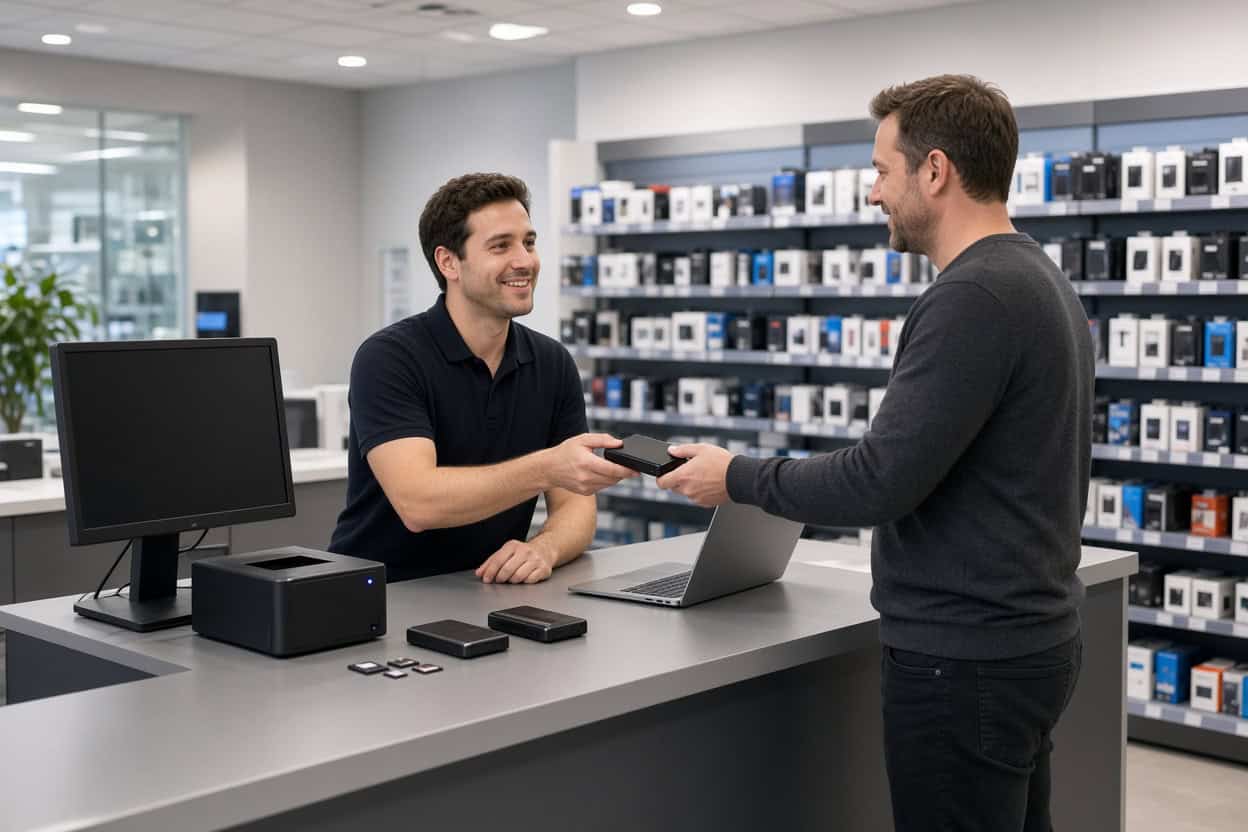
File Recovery Our Boston Kiosk Handles Every Day
Most data loss is logical: the drive or memory card still works, but the files are deleted, hidden or unreadable. Those situations are what the kiosk does best. It runs professional recovery tools, and the people using them know how to recover files without writing new data over the old. That is the mistake most do-it-yourself attempts make. If you’d rather hand the problem to someone who does this every day than spend an evening experimenting with software, this is the place to start.
Deleted photo recovery
Emptied a camera roll, cleared an SD card, or deleted a folder of family pictures from a laptop or external drive? Deleted photos usually stay on the device until something new is written over them. Stop taking pictures on that card, stop copying files to that drive, and bring it in. The sooner we see it, the more we can usually get back, often with original folders and file names.
Deleted video recovery
Video files are large, so they are fragmented across a drive or card more often than photos, and one wrong move can leave them unplayable. The kiosk recovers deleted video from external drives, laptops, USB flash drives and memory cards from cameras, drones and dash cams, and checks that recovered clips actually open and play.
Deleted file recovery
Documents, spreadsheets, tax records, school projects and business files emptied from the Recycle Bin or Trash can often be recovered, as long as the drive hasn’t been used heavily since. If you need a file recovery service for a single critical document or for an entire folder tree, the process is the same: stop using the drive and let us evaluate it.
Accidentally formatted or initialized drives
Clicking “Format” or “Initialize” by mistake, or letting a console, camera or TV reformat a drive, doesn’t usually erase the data underneath. It replaces the index that points to the data. Recovering a formatted drive is routine work for the kiosk, provided nothing new has been saved to it since.
Missing partitions and “you need to format this disk”
If a drive suddenly shows up as RAW, asks to be formatted, or Windows or macOS says the partition is gone, the file system has been damaged, but the files are usually still there. Don’t accept the format prompt. Bring the drive in and we’ll rebuild access to what’s on it.
Missing files after an update, sync or migration
Files that vanish after an operating system update, a cloud sync gone wrong, or a move to a new computer are a common reason Boston-area clients visit the kiosk. In many cases the data is still on the original drive and can be recovered intact.
Computers that won’t boot
Blue screens, boot loops, a failed system restore or a corrupted operating system can lock you out of a perfectly healthy drive. Reinstalling the operating system often destroys exactly the files you need, so get your data off the drive first. The kiosk regularly recovers files from desktops and laptops that won’t start.
Files that won’t open
Photos that show up as gray boxes, documents that report they are corrupted, and videos that stop partway through after a crash, a power loss or an interrupted copy can often be rebuilt. The original data is frequently still on the drive in a recoverable state. Don’t keep re-saving or “repairing” the damaged copies; bring the original drive in.
Memory cards and USB flash drives
SD and microSD cards and USB flash drives that still work, but show up empty, ask to be formatted, or lost their files, are good candidates for the kiosk. If the card or drive is snapped, bent or not detected at all, it needs our lab instead (see below).
Before You Bring It In
- Stop using the device. Every new photo, download or file you save can overwrite what you’re trying to recover.
- Don’t install recovery software on the same drive. Installing it there can overwrite the data you want back.
- Don’t accept format or “repair” prompts from Windows, macOS, a camera or a game console.
- Bring cables and power adapters for external drives, and know which files matter most to you.
When a Device Needs the Gillware Lab
Some failures are physical, and no software can fix them. These belong in a cleanroom, not at a service desk:
- Hard drives that click, beep, grind or don’t spin up
- Dropped external hard drives
- Drives damaged by a power surge, lightning or a failed power adapter
- Water, fire or other physical damage
- SSDs and flash drives that aren’t detected, or USB drives snapped at the connector
- Failed RAID arrays and NAS devices
Smartphones need the lab too. The kiosk doesn’t work on phones. A dead, cracked or water-damaged phone needs chip-level phone data recovery at our lab.
Our engineers open drives only inside ISO 5 cleanroom workstations, replace failed heads and electronics from a large library of donor parts, and image weak drives with read-only tools we built ourselves.
The Micro Center Cambridge service desk can take an initial look at a damaged device and refer it to our lab. You can also send it to us directly. Standard single-device cases in the continental US ship to our Madison, Wisconsin data recovery lab free with a prepaid label. Our engineers evaluate it for free, and you pay only when we meet your recovery goals and the price makes sense.
Not sure whether the kiosk can help?
Call us at 877-624-7206. Tell us what happened, and we’ll tell you whether Micro Center Cambridge or our lab is the right place for your device.
Boston Data Recovery FAQ
Is there data recovery near me in Boston?
Yes. Gillware’s data recovery kiosk is at the service desk inside Micro Center Cambridge, a short drive from downtown Boston, Somerville and Brookline. For anything the kiosk can’t handle, every Boston-area client also has direct access to our Madison, Wisconsin lab with free inbound shipping on standard single-device cases.
Can deleted photos be recovered at Micro Center Cambridge?
In most cases, yes, as long as the card or drive hasn’t been used much since the photos were deleted. Stop using it and bring it to the service desk as soon as you can.
Can you recover files after I formatted my drive?
Usually. Formatting replaces the file index but rarely wipes the data itself. The less the drive has been used since, the better the result.
My computer won’t boot. Can my files be saved?
Very often. If the drive itself is healthy, the kiosk can recover your files before anyone reinstalls the operating system. If the drive has failed physically, it will be referred to our lab.
How much does file recovery cost?
It depends on the device and what happened to it. Every case is quoted after a free evaluation, so you can decide before recovery goes ahead.
Do I need an appointment?
No. Bring your device to the service desk during store hours.
Can the kiosk recover data from my phone?
No. Smartphones go to our lab, where engineers work at the chip level on dead, damaged and water-damaged phones. Start a phone case online or call 877-624-7206.
Is my data kept private?
Yes. Your files are used only to recover your data. Gillware never sells or shares client data, and lab cases are handled by background-checked staff in a secure facility.
Serving the Boston Area
Our Micro Center Cambridge kiosk serves clients from Cambridge, Boston, Somerville, Brookline, Newton, Watertown, Belmont, Arlington, Medford, Waltham and Quincy, and every one of them has the Gillware lab behind them when a device needs more than software. Whether you walk in or ship to us, you’re working with the same company that has recovered data for individuals, businesses and IT professionals across the country for more than two decades.
Let’s get your files back.
Drop off at Micro Center Cambridge, or send your device straight to our lab for a free evaluation.
- More than 20 years recovering data from failed drives
- Trusted by 1,500+ IT professionals nationwide
- Whatever failed, we’ve seen it hundreds of times
- Pay only if we meet your recovery goals (lab cases)